Off-the-shelf B2B platforms promise wholesale functionality, but they rarely match how your business actually operates. You end up bending your pricing logic, buyer workflows, and ERP connections to fit their limitations.
A customized B2B ecommerce solution flips that equation—it adapts to your operations instead of forcing you into a template. This guide breaks down what customization actually means, the features that matter most, and the platforms worth evaluating for growing wholesale businesses in 2026.
What Is a Customized B2B Ecommerce Solution
A customized B2B ecommerce solution is a platform built around your specific wholesale pricing logic, buyer workflows, and backend systems. Rather than forcing your operations into a one-size-fits-all template, a customized solution adapts to how you already sell.
So why does customization matter so much in B2B? Every wholesale operation works differently. A distributor managing territory-based pricing has completely different requirements than a manufacturer offering volume breaks by SKU. Off-the-shelf platforms often ask you to change your processes to fit their features. A customized solution flips that equation and molds itself to your existing workflows instead.
How Customized B2B Ecommerce Differs From Standard B2B Platforms
Standard B2B platforms ship with pre-set features: fixed discount tiers, limited integrations, and generic buyer portals. A customized solution, on the other hand, lets you define the rules from the start.
| Capability | Standard B2B Platform | Customized B2B Ecommerce Solution |
|---|---|---|
| Pricing logic | Pre-set discount tiers | Unlimited customer-specific price lists |
| ERP integration | Limited connectors | Deep sync with NetSuite, Zoho, Odoo, custom ERPs |
| Buyer UX | Generic wholesale portal | Tailored quick order, RFQ, net terms per segment |
| Storefront model | Separate B2B site | Unified B2B + B2C on one store |
The difference shows up in daily operations. With a customized solution, your sales team spends less time on manual workarounds. Your buyers get an experience that matches how they actually purchase.
Must-Have Features in a Customized B2B Ecommerce Solution
True customization depends on specific feature categories working together. Here’s what to look for and why each matters for growing wholesale businesses.
Configurable Pricing Engine and Customer-Specific Price Lists
A price list is a saved set of prices assigned to specific customers or groups. The best solutions support role-based pricing (different rates for distributors vs. retailers), contract pricing for key accounts, volume tiers, and variant-level overrides. Without flexible pricing logic, you end up managing workarounds in spreadsheets.

Gated Wholesale Catalogs and Account-Based Access
Gated access means restricting content to approved buyers only. You can hide wholesale prices from retail visitors, require login to view certain collections, or set visibility rules by customer group. Gating protects your margins and creates an incentive for buyers to register.
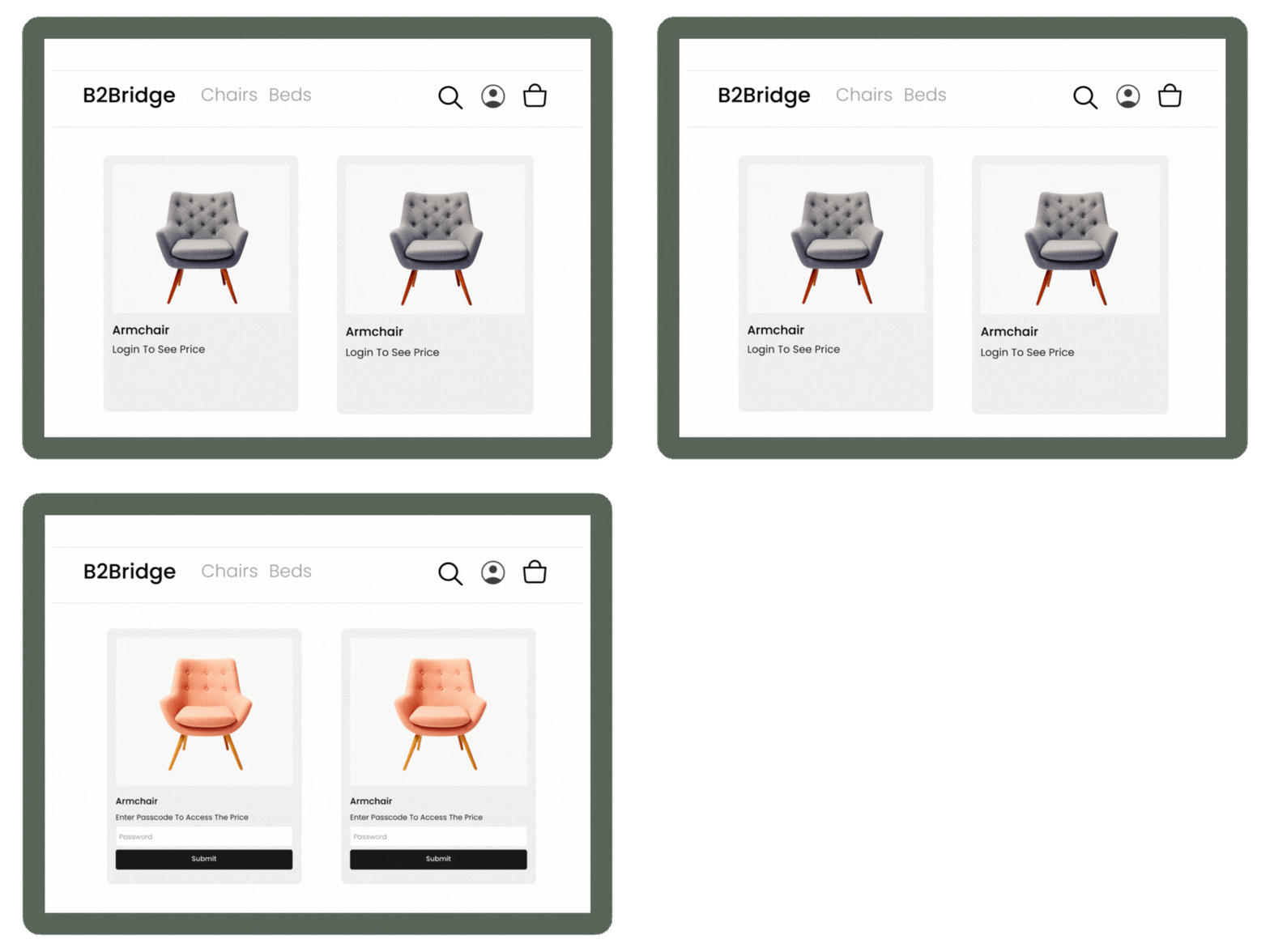
Net Terms, RFQ, and Quote-to-Order Workflows
Net terms—such as Net 30 payment terms—let buyers pay after delivery rather than at checkout. RFQ, or Request for Quote, allows buyers to submit pricing requests for large or custom orders. Both match how wholesale buyers actually purchase, and removing either creates friction that drives abandonment.

Quick Order Pages and Dedicated B2B Cart
Quick order forms let buyers enter multiple SKUs at once. Saved carts enable fast reordering. A dedicated B2B cart can include line-item notes, case pack quantities, and order minimums. All of this is designed for speed and volume, which is exactly what repeat wholesale customers expect.

ERP and CRM Synchronization
Syncing pricing, customers, and orders with your ERP or CRM eliminates double data entry and reduces errors. Common systems include NetSuite, Zoho, and Odoo. Without synchronization, your team ends up reconciling data manually after every order.
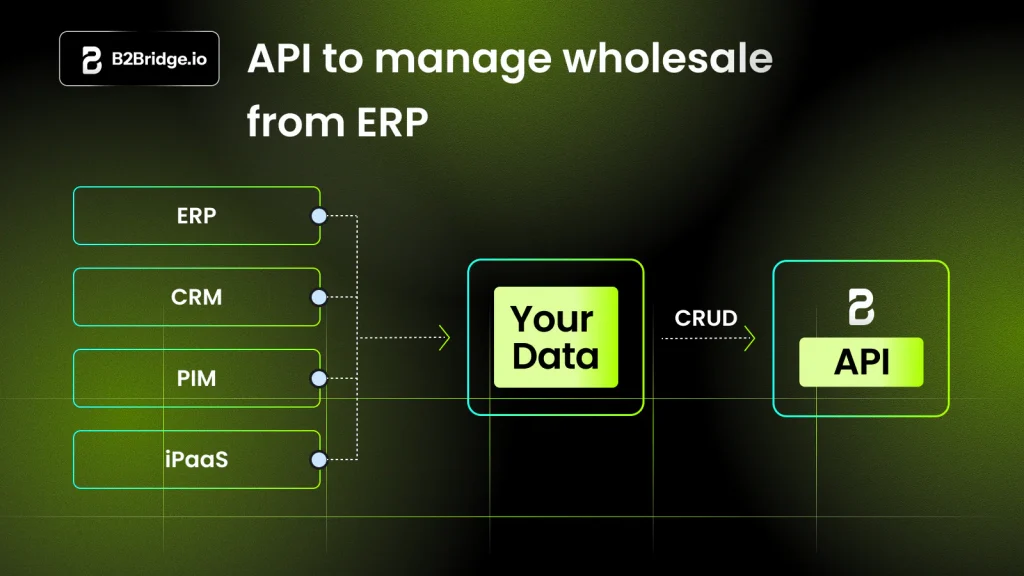
Hybrid B2B and B2C Storefront Support
A customized solution lets you run both B2B and B2C from one storefront. Retail shoppers see retail prices. Logged-in wholesale buyers see their negotiated rates. Running two separate stores doubles your operational work, so a unified storefront simplifies everything.
Best Customized B2B Ecommerce Solutions for Growing Businesses
Each platform below offers varying levels of customization for wholesale operations. Here’s what makes each one stand out.
B2Bridge for Shopify
B2Bridge is an enterprise B2B layer for Shopify with an advanced pricing engine, ERP integration, and hybrid B2B+B2C support. No Shopify Plus subscription is required. B2Bridge is ideal for manufacturers and distributors seeking deep customization and a technical partner approach.
Standout features: Unlimited customer-specific price lists, company accounts, NetSuite/Zoho/Odoo integrations, B2B Lock for gated access, RFQ and net terms, quick order pages.

SparkLayer
SparkLayer is a B2B ordering layer that integrates with Shopify and other platforms. The focus is on self-serve wholesale portals with quick order forms, customer-specific pricing, and account management.

Adobe Commerce (Magento)
Adobe Commerce is an open-source enterprise platform for businesses that want maximum customization and complex catalog structures. The architecture is highly flexible, with extensive B2B modules and deep ERP connectivity.

BigCommerce B2B Edition
BigCommerce B2B Edition is a SaaS platform with native B2B features and multi-storefront support for mid-market and enterprise sellers. Price lists by customer group, quote management, and multi-channel selling are all built in.
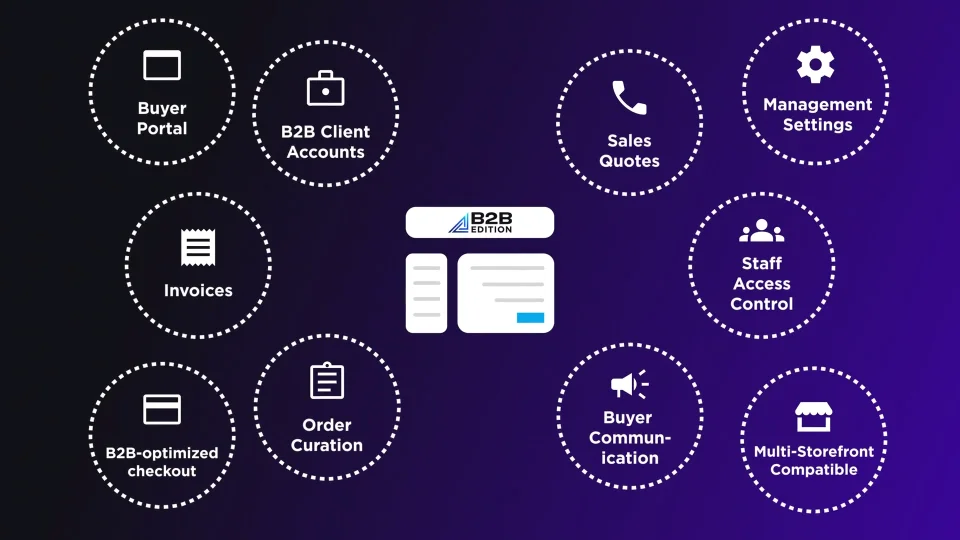
OroCommerce
OroCommerce is a purpose-built B2B platform with CRM included. Distributors, manufacturers, and wholesalers benefit from native CRM, workflow automation, a complex pricing engine, and multi-site portals.
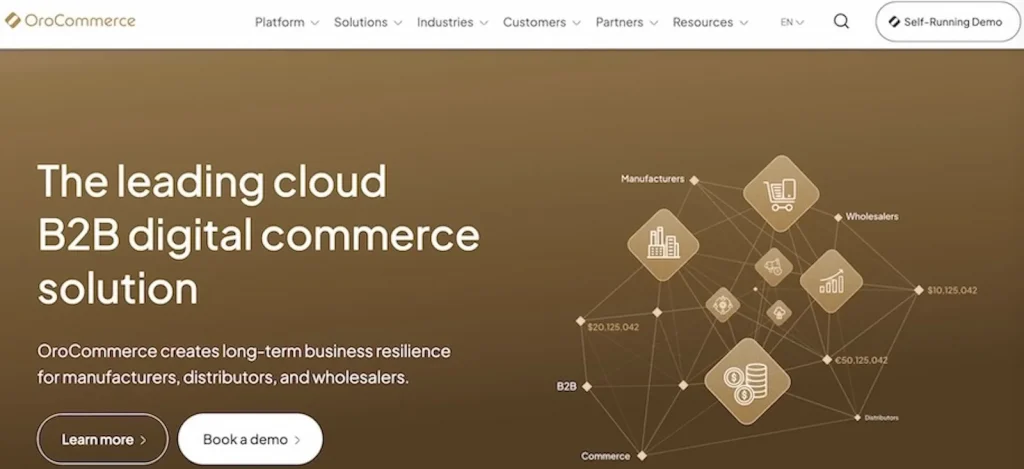
Shopify Plus B2B
Shopify Plus is Shopify’s enterprise tier with dedicated B2B features. Brands already on Shopify plus can add unlimited catalogs with direct assignment per company/location, advanced payments (deposit requirements, partial payments, and payment per fulfillment) and contextual storefronts and checkouts via Shopify Markets.
How to Choose the Right Customized B2B Ecommerce Solution
Choosing the right platform starts with understanding your own operations. Here’s a practical framework.
Step 1. Map Your Pricing and Customer Segmentation Logic
Document your current pricing tiers, contract prices, and customer groups before evaluating platforms. If you can’t describe your pricing rules clearly, no platform will implement them correctly.
Step 2. Audit Your ERP, CRM, and Inventory Stack
List every system that requires sync: pricing, orders, customers, inventory. Integration gaps cause the most pain after launch.
Step 3. Define Buyer Workflows and Self-Serve Requirements
Identify how your buyers order. Do they expect quick reorder? RFQ for large purchases? Net terms at checkout? Assisted sales from reps? The answers shape which features matter most.
Step 4. Evaluate Time to Launch and Scalability
SaaS platforms launch faster. Custom builds scale further. Consider where you are today and where you’ll be in two years.
Step 5. Compare Total Cost and Long-Term Flexibility
Look beyond subscription fees. Factor in customization, integration, and ongoing support costs. Often, implementation and maintenance exceed the platform fee itself.
ERP and CRM Integration in Customized B2B Ecommerce
Integration keeps pricing, customers, and orders aligned across systems. An enterprise API is a programmatic connection for real-time data exchange. Without it, you’re stuck with manual exports and imports.
- NetSuite integration: Sync orders, customers, and price lists bidirectionally for finance and inventory alignment.
- Zoho and Odoo integration: Connect CRM and operations data to your ecommerce layer for sales visibility and automation.
- Custom ERP and enterprise API connectivity: For proprietary or legacy ERPs, use enterprise APIs to build custom data sync without replacing your systems.
- CRM synchronization: Push customer activity and order history into your CRM so reps have full context for upselling and support.
Custom Build vs SaaS Platform vs Hybrid B2B Approach
There are three paths to customized B2B ecommerce. Each has trade-offs.
| Approach | Best For | Trade-Off |
|---|---|---|
| Fully custom build | Unique, proprietary workflows | Longest timeline, highest cost |
| SaaS platform | Fast launch, predictable cost | Limited customization depth |
| Hybrid (platform + custom layer) | Flexibility with speed | Requires technical partner |
A fully custom build makes sense only when your workflows are so unique that no existing platform can adapt. For most growing businesses, that’s rare.
A SaaS platform works if your pricing and buyer workflows fit standard templates and you prioritize speed over deep customization.
A hybrid approach combines a proven platform like Shopify with a customization layer like B2Bridge. You get flexibility without rebuilding from scratch.
Common Replatforming Pitfalls to Avoid
Replatforming projects fail for predictable reasons. Here’s what to watch for.
- Underestimating pricing and catalog complexity: Assuming your pricing logic is simpler than it actually is leads to gaps after launch.
- Skipping ERP and inventory sync validation: Not testing integrations thoroughly results in mismatched orders and inventory errors.
- Treating B2B UX as an afterthought: Wholesale buyers expect quick ordering and net terms. Generic retail UX drives abandonment.
- Launching without a phased rollout plan: Going live all at once increases risk. Rolling out to a customer segment first, then expanding, reduces surprises.
How B2Bridge Delivers Customized B2B Ecommerce on Shopify
B2Bridge embeds enterprise-grade customization into Shopify without requiring Shopify Plus or a separate platform. The approach is technical partnership: adapting to your pricing models, ERP stack, and workflows rather than forcing a template.
- Advanced B2B Pricing Engine: Unlimited customer-specific price lists, volume tiers, contract pricing.
- Deep ERP and CRM Integration: NetSuite, Zoho, Odoo, custom ERPs via enterprise API.
- B2B UX Built for Conversion: Quick order pages, dedicated B2B cart, RFQ and net terms.
- Hybrid B2B + B2C on One Store: Show different prices and catalogs without running two sites.
- Ongoing Technical Partnership: Launch support and customization as you scale.
Building a Customized B2B Ecommerce Strategy That Scales
The best B2B ecommerce strategies start with clarity about your operations and a platform that adapts as you grow.
- Audit your current pricing, buyer workflows, and system integrations before selecting a platform.
- Prioritize solutions that adapt to your operations rather than ones that force you to change.
- Choose a partner who supports you beyond launch as your wholesale business grows.
- Test integrations and buyer UX with a phased rollout before going fully live.
Frequently Asked Questions About Customized B2B Ecommerce Solutions
How long does it take to launch a customized B2B ecommerce store?
Timeline depends on complexity. SaaS-based solutions with customization layers can launch in weeks. Fully custom builds may take several months.
Do you need Shopify Plus to run a customized B2B ecommerce store on Shopify?
No. Wholesale apps for Shopify like B2Bridge bring enterprise B2B features to standard Shopify plans without requiring a Plus subscription.
Can a customized B2B ecommerce solution support both B2B and B2C in one store?
Yes. Solutions with hybrid storefront support show different prices, catalogs, and checkout options to retail vs. wholesale buyers on a single site.
How does a customized B2B ecommerce solution handle multi-currency and tax-exempt orders?
Most enterprise-grade solutions support multi-currency pricing and tax-exempt logic by customer group. Global wholesale becomes possible without manual adjustments.
Are customized B2B ecommerce solutions suitable for small and growing wholesalers?
Yes. Scalable solutions let you start with core features and add complexity as your wholesale operations expand, without replatforming later.

As a Product Marketing Executive at B2Bridge, I focus on the Enterprise B2B Ecommerce domain. I leverage my understanding of product and user psychology to deliver customer-centric content that addresses business challenges and fuels growth.