Choosing between Shopify and WooCommerce for B2B isn’t a simple feature checklist—it’s a decision about how much infrastructure you want to manage versus how much customization you actually need. Both platforms can run wholesale operations, but they take fundamentally different approaches to getting there.
This guide breaks down the real differences in B2B pricing logic, net payment terms, ERP integration, and total cost of ownership so you can match the right platform to your wholesale operation.
Quick verdict on Shopify vs WooCommerce for B2B
For B2B ecommerce, Shopify offers an all-in-one, scalable solution with managed infrastructure and native wholesale features on Shopify Plus. WooCommerce provides highly customizable, cost-effective flexibility for businesses with tailored workflows or in-house development resources.
Shopify wins on reliability, speed to launch, and hybrid B2B/B2C capabilities. WooCommerce wins on deep customization and full data ownership. The right choice depends on your technical resources and wholesale complexity.
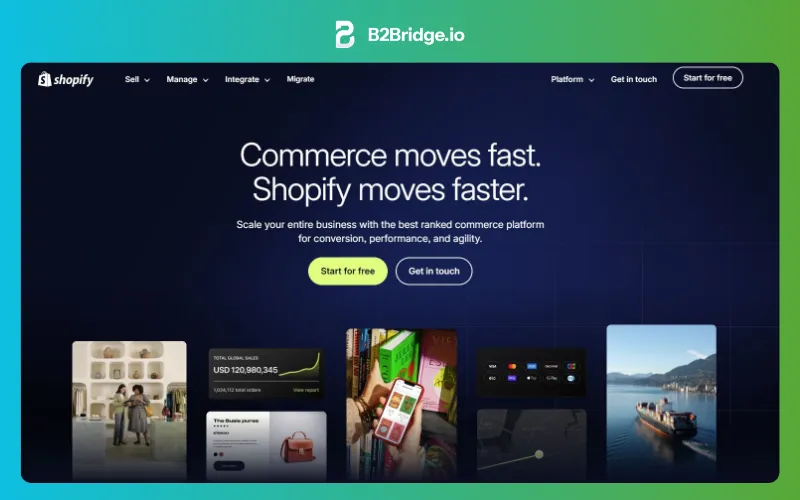
What is Shopify for B2B commerce
Shopify is a hosted SaaS ecommerce platform, meaning Shopify manages servers, security, updates, and infrastructure on your behalf. You pay a subscription, and the platform handles technical operations.
For B2B specifically, Shopify Plus (the enterprise tier starting around $2,300/month) includes native wholesale features: company profiles, customer-specific catalogs, quantity rules, payment terms, and draft orders. On standard Shopify plans, third-party apps extend B2B functionality without requiring an upgrade.
- Hosted SaaS model: Shopify manages servers, security, and updates
- Shopify Plus B2B: Native wholesale features for enterprise merchants
- App ecosystem: Third-party apps bring B2B capabilities to non-Plus plans
What is WooCommerce for B2B commerce
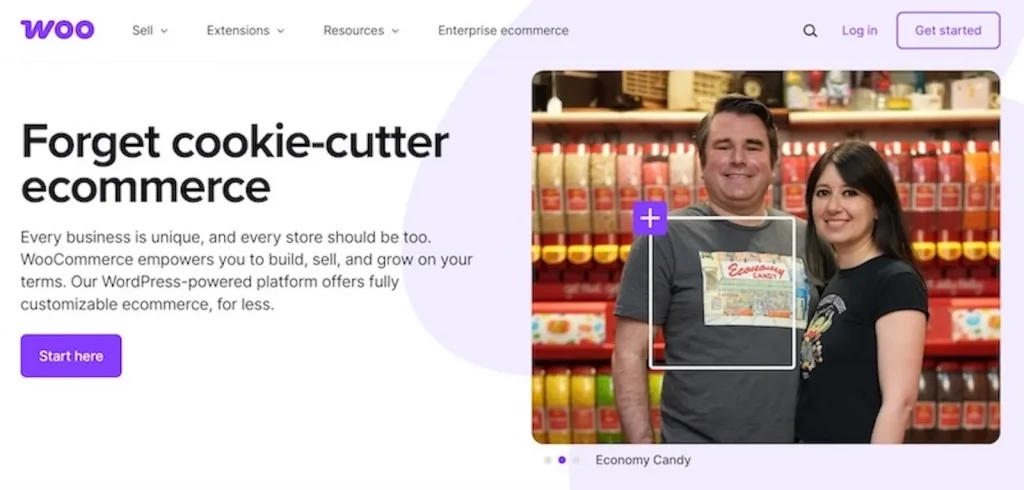
WooCommerce is an open-source WordPress plugin that transforms a WordPress site into an ecommerce store, with 4.5 million live stores globally. The core software is free, but you’re responsible for hosting, security, and maintenance.
WooCommerce has no native B2B features out of the box. Wholesale pricing, customer tiers, net terms, and RFQ workflows all require third-party plugins or custom development. The tradeoff is complete flexibility with full PHP and database access.
- Open-source plugin: Free core software running on WordPress
- Self-hosted: You control the server, database, and all data
- Extension-dependent: B2B features require third-party or custom plugins
Shopify vs WooCommerce B2B feature comparison table
| Feature | Shopify / Shopify Plus | WooCommerce |
|---|---|---|
| Customer-specific pricing | Native on Plus, apps on standard | Via plugins |
| Net payment terms | Native on Plus, apps on standard | Via plugins |
| Volume/tiered discounts | Native on Plus, apps on standard | Via plugins |
| RFQ/quote workflows | Apps required | Via plugins |
| ERP integration | Pre-built connectors + API | Custom API builds |
| Hybrid B2B + B2C | Supported natively | Requires configuration |
| Hosting/security | Fully managed | Self-managed |
| Customization depth | Theme + Liquid + APIs | Full PHP/database access |
Native B2B capabilities on each platform
What comes “out of the box” versus what requires add-ons sets realistic expectations for implementation effort.
Shopify native B2B and Shopify Plus B2B
Standard Shopify plans offer limited B2B functionality—basic customer accounts and discount codes, but no wholesale-specific features. Shopify Plus, now powering over 47,000 live websites, changes the picture significantly.

Shopify Plus B2B includes company profiles (representing business accounts with multiple buyers), customer-specific catalogs and price lists, quantity rules and minimum order requirements, payment terms like Net 30, and draft order workflows for sales-assisted transactions.
WooCommerce B2B through plugins and extensions
WooCommerce core has zero native B2B features. Every wholesale capability—role-based pricing, customer tiers, MOQ enforcement, net terms, RFQ—requires plugins, and the average WooCommerce store runs 25–35 active plugins.
Common plugin categories include wholesale pricing extensions, user role managers, minimum order quantity enforcers, and quote request systems. The ecosystem is extensive, though combining multiple plugins increases complexity.
B2B pricing and customer group logic
Your wholesale pricing strategy is often the most critical decision factor for wholesale operations. How each platform handles complex pricing determines whether your buyers see the right prices automatically.
Role-based pricing and customer tiers
Role-based pricing means different buyer types—say Gold, Silver, and Bronze distributors—see different prices for the same products. Shopify Plus uses company profiles and catalogs to assign pricing tiers. WooCommerce relies on user roles and plugins to achieve similar segmentation.
Volume discounts and tiered pricing
Volume discounts reduce the unit price as quantity increases. A buyer ordering 100 units pays less per unit than someone ordering 10.
Both platforms support tiered pricing, but implementation differs. Shopify Plus handles volume discounts through catalog rules, while WooCommerce requires dedicated plugins that display pricing tables and apply discounts at checkout.
Contract pricing and customer-specific price lists
Contract pricing refers to negotiated prices for specific accounts—often large buyers with annual commitments or exclusive terms. Shopify Plus catalogs can be assigned to individual companies for true per-customer pricing. WooCommerce achieves contract pricing through plugins that create custom price lists tied to user accounts.
Minimum order quantities and case packs
MOQ (minimum order quantity) prevents orders below a threshold. Case packs enforce purchasing in fixed increments—say, multiples of 12 for products packed by the dozen.
Shopify Plus includes quantity rules natively. On standard Shopify, apps like B2Bridge add MOQ and increment enforcement. WooCommerce requires plugins for both features.
Net payment terms, RFQ, and wholesale checkout
B2B buyers expect payment flexibility that retail customers don’t. Net terms and RFQ workflows are often dealbreakers for wholesale operations.
- Net payment terms: Net 15, Net 30, or Net 60 allow approved buyers to receive goods now and pay by invoice later—a capability linked to a 38% increase in new buyer acquisition according to Balance’s B2B Payments Report. Procurement teams often can’t use credit cards for large purchases.
- RFQ workflows: Request for Quote lets buyers submit quote requests for custom pricing, which merchants review, adjust, and convert into orders.
- B2B checkout UX: Dedicated cart experiences, purchase order fields, and streamlined reordering for repeat buyers.
Shopify Plus offers native net terms. On standard Shopify, apps provide payment term capabilities. WooCommerce requires plugins for both net terms and RFQ functionality.
ERP and CRM integration depth for wholesale
ERP and CRM integration matters because wholesale operations depend on synchronized data. Pricing, inventory, customer records, and order flow all match across systems when integrations work properly.
Shopify integrations with NetSuite, Zoho, and Odoo
Shopify takes an API-first approach with pre-built connectors for major ERPs. Apps like B2Bridge provide bidirectional sync for pricing, customers, and orders with NetSuite, Zoho, Odoo, and custom ERPs. The managed nature of Shopify means integrations tend to be more predictable.
WooCommerce integrations and custom API builds
WooCommerce typically requires custom development or middleware for ERP integration. Full database access allows deep customization, but the maintenance burden increases and ongoing developer resources become necessary.
Customization and development flexibility
The core “managed vs open” tradeoff between platforms shows up most clearly in customization options.
- Shopify: Liquid templating, Shopify Functions, Checkout Extensions, headless via Hydrogen
- WooCommerce: Full PHP access, direct database queries, unlimited modification potential
- Tradeoff: More flexibility equals more maintenance and security responsibility
Shopify provides guardrails that keep stores stable but limit certain customizations. WooCommerce offers complete freedom but requires expertise to maintain.
Total cost of ownership for wholesale operations
Platform fees tell only part of the story. The total cost of a B2B store includes apps, hosting, development, maintenance, and operational time your team spends managing the platform.
Costs for growing wholesale brands
Smaller operations face different cost structures on each platform. Shopify charges monthly subscriptions plus transaction fees, with app costs for B2B features. WooCommerce has no platform fee, but hosting, security, and plugin subscriptions add up.
Costs for mid-market distributors
At scale, Shopify’s transaction fees become significant, though Shopify Payments reduces them. Multiple app subscriptions and occasional developer work add to costs. WooCommerce’s “free” core masks substantial ongoing expenses for hosting, security, plugin updates, and developer time.
Costs for enterprise manufacturers
Enterprise operations face the starkest comparison. Shopify Plus starts around $2,300/month but includes managed infrastructure and native B2B features. WooCommerce enterprise deployments often require dedicated hosting, security audits, and full-time development resources.
Performance and security at B2B scale
Infrastructure reliability directly impacts wholesale operations. Downtime during a large buyer’s ordering window costs real revenue.
- Shopify: Managed CDN, automatic scaling, built-in PCI compliance, security handled by platform
- WooCommerce: Performance depends on hosting choice; security and updates are your responsibility
Shopify’s managed infrastructure means you’re not troubleshooting server issues at 2 AM. WooCommerce’s performance ceiling depends entirely on your hosting investment and optimization expertise.
Hybrid B2B and B2C on a single store
Many brands sell both wholesale and direct-to-consumer. Running a hybrid B2B and B2C store eliminates duplicate product management, inventory tracking, and operational overhead.
Shopify’s architecture supports showing different prices and experiences to different customer types on a single storefront. Logged-in wholesale buyers see their pricing while retail visitors see standard prices. WooCommerce can achieve hybrid functionality through plugins, though configuration is more complex and plugin conflicts become a risk.
Where Shopify struggles with complex B2B
Shopify isn’t perfect for every wholesale scenario.
- Checkout customization is limited compared to full code access
- Advanced B2B features require Shopify Plus or third-party apps
- Highly unusual pricing logic or workflow requirements may hit platform constraints
Running B2B on Shopify without Shopify Plus
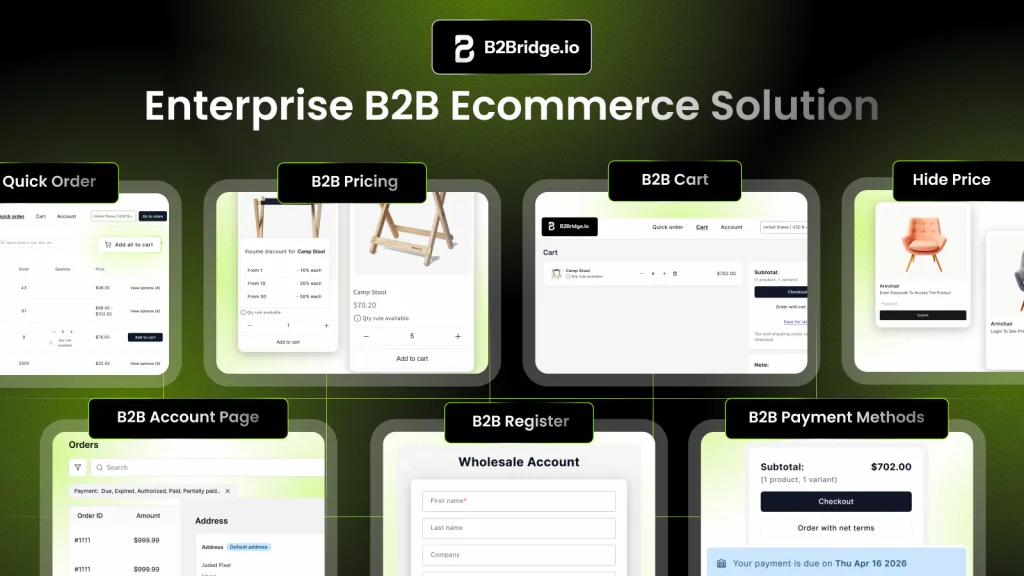
You might be wondering: can you get serious B2B capabilities without upgrading to Plus? Yes—apps like B2Bridge bring enterprise B2B features to standard Shopify plans.
B2Bridge adds a B2B Pricing Engine with customer-specific pricing, volume discounts, and MOQ enforcement. The app includes net payment terms, RFQ workflows, B2B registration with approval workflows, and ERP integration—all without requiring Shopify Plus.
Where WooCommerce struggles with complex B2B
WooCommerce’s flexibility comes with real operational challenges that compound over time.
- Plugin compatibility and update conflicts create ongoing maintenance headaches
- Performance degrades as you add more extensions
- Security vulnerabilities require constant vigilance and patching
- Scaling requires dedicated development and DevOps resources
When to choose Shopify for B2B
You want reliability and fast time to launch
Managed infrastructure means faster go-live and less operational burden. If your team lacks dedicated IT or development resources, Shopify removes significant complexity.
You run hybrid B2B and B2C on one store
Shopify’s architecture supports showing different experiences to different customer types without duplicating operations. One product catalog, one inventory system, two buyer experiences.
You sync pricing and orders with an ERP
Pre-built integrations and robust APIs make ERP connectivity more predictable. Apps like B2Bridge provide turnkey sync for NetSuite, Zoho, and Odoo.
When to choose WooCommerce for B2B
You have in-house WordPress and PHP talent
WooCommerce rewards teams with existing WordPress expertise who can build and maintain custom solutions without external help.
You want full data ownership and self-hosting
Some businesses require complete control over data residency, database access, and hosting environment for compliance or policy reasons.
You have highly custom wholesale workflows
WooCommerce’s open architecture suits edge-case pricing logic or workflows that no SaaS platform supports natively.
Migration considerations for B2B replatforming
Switching platforms is a significant undertaking. B2B migrations carry extra complexity because of pricing rules, customer relationships, and system integrations.
Step 1: Audit pricing rules and customer groups
Document all existing price lists, customer tiers, volume rules, and special agreements before migrating. Missing a contract price during migration damages buyer relationships.
Step 2: Map ERP and CRM data flows
Identify which systems sync with your current platform and plan equivalent integrations on the new platform. Data flow diagrams prevent surprises.
Step 3: Plan B2B UX and buyer onboarding
Design the wholesale registration, approval workflow, and buyer portal experience on the new platform.
Step 4: Pilot with a single customer segment
Test with a subset of wholesale accounts before full cutover. Real buyers find issues that internal testing misses.
Step 5: Cut over and decommission legacy systems
Execute final migration, redirect traffic, and retire the old platform only after validation.
Scaling wholesale revenue on Shopify with B2Bridge
B2Bridge brings enterprise B2B capabilities to Shopify without requiring Shopify Plus or a second platform. The B2B Pricing Engine supports role-based pricing, contract price lists, volume discounts, MOQ enforcement, and case pack rules.
Deep ERP integration with NetSuite, Zoho, Odoo, and custom systems keeps pricing, customers, and orders synchronized. Net payment terms and RFQ workflows handle the payment flexibility wholesale buyers expect.

Book A Demo to see how B2Bridge embeds enterprise B2B operations into your Shopify store.
Frequently asked questions about Shopify vs WooCommerce for B2B
Can you run a B2B store on Shopify without Shopify Plus?
Yes. Apps like B2Bridge add enterprise B2B features—customer-specific pricing, net payment terms, wholesale registration, and RFQ workflows—to any Shopify plan.
Is WooCommerce really free for wholesale stores?
The core plugin is free, but B2B functionality requires paid extensions, hosting, security, and ongoing developer maintenance.
Which platform handles multi-currency wholesale pricing better?
Shopify Markets provides native multi-currency support with predictable behavior. WooCommerce requires plugins and more configuration for multi-currency B2B pricing.
How long does it take to launch a B2B store on Shopify vs WooCommerce?
Shopify B2B stores typically launch faster due to managed infrastructure. WooCommerce timelines depend heavily on hosting setup and plugin configuration complexity.
Can WooCommerce plugins match Shopify Plus B2B features?
Plugins can replicate most features, but combining multiple plugins increases complexity, potential conflicts, and maintenance requirements.
Which platform is better for distributors using NetSuite or Odoo?
Both platforms can integrate with major ERPs. Shopify offers more pre-built connectors and apps like B2Bridge that provide turnkey sync, while WooCommerce typically requires custom API development.

As a Product Marketing Executive at B2Bridge, I focus on the Enterprise B2B Ecommerce domain. I leverage my understanding of product and user psychology to deliver customer-centric content that addresses business challenges and fuels growth.