Choosing between Shopify and Adobe Commerce is one of the most consequential decisions you’ll make for your ecommerce operation. Get it right, and you set yourself up for years of growth. Get it wrong, and you’re looking at a costly replatforming project down the road.
This guide breaks down the real differences between these two platforms: pricing, features, B2B capabilities, and total cost of ownership. You’ll learn how to make the call that fits your business.
Shopify vs Adobe Commerce at a Glance
Adobe Commerce is an open-source platform built for large-scale or B2B businesses that want deep customization and full control over their codebase. Shopify is a SaaS platform optimized for fast launches, predictable costs, and managed infrastructure.
| Factor | Shopify | Adobe Commerce |
|---|---|---|
| Platform Type | SaaS (hosted) | Open-source (self-hosted or cloud) |
| Best For | Fast launch, growth-focused | Enterprise, B2B, complex customization |
| Ease of Use | Beginner-friendly | Requires developer expertise |
| Customization | App marketplace, templated | Unlimited via code |
| Maintenance | Handled by Shopify | Requires dedicated dev team |
| Multi-store | Limited without Plus | Native multi-store support |
Among B2B ecommerce platforms, the core question is this: do you value speed and simplicity, or unlimited flexibility and tech stack ownership?
What Is Shopify
Shopify is a fully hosted ecommerce platform where you pay a monthly subscription and the platform handles hosting, security, SSL certificates, and software updates automatically. You don’t manage servers or worry about patches.
Plans range from Basic Shopify for smaller operations to Shopify Plus for enterprise merchants. Plus includes checkout customization, expansion stores, and native B2B functionality. Most merchants can launch a store in days without writing code, though developers can extend functionality through Liquid templating and the app ecosystem.

What Is Adobe Commerce
Adobe Commerce is the enterprise, licensed version of the Magento platform. It requires either self-hosting on your own servers or using Adobe’s managed cloud infrastructure, plus dedicated developer resources for setup and ongoing maintenance.
The platform gives you full code-level control over every aspect of your storefront. Implementation projects typically take months rather than days, and you’ll want skilled PHP/Magento developers on staff or retainer to manage the platform effectively.
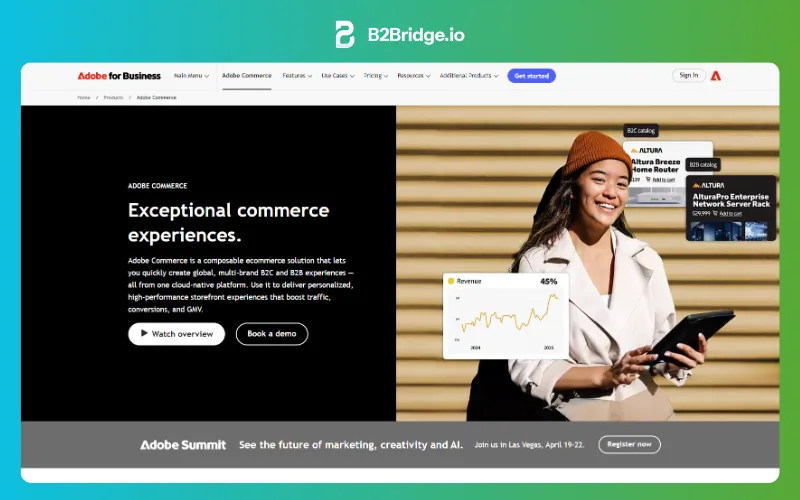
Adobe Commerce vs Magento Explained
The naming here can get confusing. Magento Open Source is the free, community-supported version of the platform. You can download and use it without licensing fees, but you’re responsible for your own support and security patches.
Adobe Commerce is the paid, enterprise-grade product that includes additional features like B2B functionality, cloud hosting options, and Adobe’s support services. When people say “Magento” in 2026, they might be referring to either version, so it’s worth clarifying which one you’re evaluating before diving into comparisons.
Shopify Pros and Cons
Shopify Pros
- Fast time to launch: Go live in days without developers
- Predictable costs: Fixed monthly pricing with no hosting fees
- Managed security and compliance: PCI compliance and SSL handled automatically
- Extensive app ecosystem: Plug-and-play apps for most functionality
- Lower technical barrier: Non-technical teams can manage day-to-day operations
Shopify Cons
- Limited deep customization: Operates within a controlled framework; deep checkout customization (information, shipping, and payment pages) is restricted to Plus.
- App dependency: Advanced features often require paid third-party apps
- Multi-store limitations: Running multiple storefronts natively requires Shopify Plus
- Less flexible for complex B2B: Core wholesale features are covered, but RFQ workflows, dynamic payment terms, complex approvals, and catalog limits on non-Plus plans remain meaningful gaps.
Adobe Commerce Pros and Cons
Adobe Commerce Pros
- Unlimited customization: Open-source architecture allows any modification
- Native multi-store management: Run multiple brands, currencies, and languages from one instance
- Built-in B2B features: Advanced functionality like company accounts, requisition lists, and negotiated quotes out of the box
- Full data and server control: Own your database and optimize server performance
Adobe Commerce Cons
- High total cost of ownership: Licensing, hosting, development, and ongoing maintenance add up quickly
- Developer dependency: Requires skilled Magento/PHP developers for setup and changes
- Slower time to market: Implementation projects often take months
- Security responsibility falls on you: You manage patches, updates, and PCI compliance
Shopify vs Adobe Commerce Feature Comparison
Ease of Use and Time to Launch
Shopify wins here decisively. You can have a functional store live within a week, sometimes within a day, without touching code. Adobe Commerce requires a development team and a project timeline measured in months.
For growing brands without dedicated technical resources, this difference often becomes the deciding factor.
Customization and Design Flexibility
Adobe Commerce offers unlimited flexibility because you control the entire codebase. Want to modify checkout logic, build custom integrations, or restructure the database? You can do all of that.
Shopify provides templated themes with customization through Liquid and apps. Shopify Plus unlocks more checkout and script customization, though still within guardrails. The trade-off is clear: less flexibility, but far less complexity.
Apps vs Extensions Ecosystem
Shopify’s app store offers plug-and-play solutions with simple installation. Most apps work immediately after a few clicks. Adobe Commerce extensions often require developer integration, testing, and sometimes conflict resolution with other extensions.
The Shopify approach is faster. The Adobe Commerce approach is deeper.

Performance, Security, and Compliance
Shopify handles hosting, CDN, SSL, and PCI compliance automatically. Your store runs on Shopify’s infrastructure, which means you don’t worry about server optimization or security patches.
Adobe Commerce merchants manage their own infrastructure, security patches, and compliance certifications. This gives you control but adds operational overhead and ongoing responsibility.
International Selling and Multi-Store
Adobe Commerce excels at managing multiple stores, languages, and currencies from one dashboard. If you’re running five regional storefronts with different catalogs and pricing, Adobe Commerce handles this elegantly as a native strength.
Shopify Markets simplifies international selling, but true multi-store setups usually require Shopify Plus expansion stores, which adds cost.
Payment Gateways and Transaction Fees
Shopify Payments eliminates transaction fees on Shopify. If you use a third-party gateway, you’ll pay an additional 0.5% to 2% per transaction depending on your plan.
Adobe Commerce has no platform transaction fees, but you’ll integrate and pay for your own payment gateway. At high volume, this can be more cost-effective, though the integration work adds complexity.
Shopify vs Adobe Commerce Pricing and Total Cost of Ownership
Shopify and Shopify Plus Pricing
Shopify’s pricing scales with your business — Basic, Grow, and Advanced plans cover essentials through advanced analytics, with rates varying by region and billing cycle. Shopify Plus starts at $2,300/month (3-year term) or $2,500/month (1-year term), and includes native B2B features, expansion stores, and advanced checkout customization. Check shopify.com/pricing for current rates in your region.
App subscriptions can increase monthly spend significantly. It’s common for merchants to spend $200 to $500/month on apps alone.
Adobe Commerce Licensing and Hosting Costs
Adobe Commerce licensing is revenue-based, typically starting around $22,000/year for smaller merchants and scaling up from there. Add hosting costs, whether Adobe’s cloud or self-managed, and you’re looking at a substantial baseline before any customization. For smaller merchants, the entry price is often prohibitive.
Hidden Costs of Development and Maintenance
Adobe Commerce requires ongoing developer hours for updates, security patches, and customization. Budget for a development retainer or in-house team.
- Development: One-time build vs. ongoing dev retainer
- Maintenance: Automated (Shopify) vs. manual patch cycles (Adobe)
- Upgrades: Seamless (Shopify) vs. major version migrations (Adobe)
Shopify shifts much of this burden to the platform. Total cost of ownership comparisons consistently show Adobe Commerce running higher than Shopify.
Shopify vs Adobe Commerce for B2B and Wholesale
Native B2B Capabilities on Each Platform
Adobe Commerce includes company accounts, shared catalogs, requisition lists, and negotiated quotes natively. B2B functionality has been part of the platform for years and is mature.
Shopify’s native B2B features, introduced with B2B on Shopify, include customer-specific pricing, payment terms, and catalogs. However, native B2B is limited to Shopify Plus.
Shopify Plus vs Adobe Commerce B2B Edition
Adobe Commerce B2B Edition offers deeper native functionality: purchase order workflows, complex approval hierarchies, and sophisticated catalog permissions. The trade-off is higher cost and implementation complexity.
Shopify Plus offers a simpler path with growing capabilities, with B2B GMV up 96% year-over-year. For many B2B operations, it’s enough, especially when extended with purpose-built apps.
>> See more: 7 Shopify Plus B2B Alternatives for Wholesalers
Extending Shopify B2B With Purpose-Built Apps
Here’s where things get interesting. You can add enterprise-grade B2B functionality to Shopify, including on non-Plus stores, through specialized apps.
Solutions like B2Bridge embed complex wholesale operations directly into Shopify: custom price lists, net payment terms, ERP integration, quick order pages, and B2B UX optimization. See how Magento and Shopify differ for enterprise use cases. You get the operational simplicity of Shopify with B2B capabilities that approach what Adobe Commerce offers natively, without requiring Plus or a second platform.

ERP and CRM Integration on Shopify and Adobe Commerce
Adobe Commerce offers deep integration flexibility through its open architecture. You can build custom connectors to virtually any system, but you’ll want developers to do it.
Shopify integrates through APIs and apps. The ecosystem of pre-built connectors is growing rapidly. API-first apps like B2Bridge provide enterprise ERP connectivity to NetSuite, Zoho, and Odoo within Shopify.
- Adobe Commerce: Native flexibility but requires custom development for each integration
- Shopify: Growing ecosystem of pre-built connectors and API-first apps
- Key consideration: Evaluate whether your ERP connector already exists or requires custom work
For B2B operations, keeping pricing, customers, and orders synced across systems is critical. The platform that makes this easier for your specific tech stack is often the right choice.
Migrating From Adobe Commerce to Shopify
Many merchants have made this move. Here’s a practical framework:
Step 1: Audit Your Adobe Commerce Catalog and Customer Data
Document products, variants, categories, and customer records. Identify custom attributes that require mapping to Shopify’s data model.
Step 2: Map Customer Groups, Price Lists, and Tax Rules
Translate Adobe Commerce customer segments to Shopify customer tags or B2B catalogs. Ensure pricing logic and tax exemptions are accounted for.
Step 3: Rebuild Storefront and B2B Workflows on Shopify
Select a theme and apps. Work through your Shopify B2B setup checklist—configure price lists, net terms, and quick order functionality. Community discussions on Magento vs Shopify preferences can also inform your decision.
Test the buyer experience before migration.
Step 4: Migrate Data and Validate Orders End to End
Use migration tools or partners. Run parallel testing. Validate that orders flow correctly through checkout and into fulfillment.
Step 5: Launch, Monitor, and Optimize Post-Migration
Go live, monitor for issues, and iterate. Migration is a process, not an event.
Which Platform Fits Your Business
When Shopify Is the Right Choice
- You want to launch quickly with minimal technical resources
- You prefer predictable costs and managed infrastructure
- Your B2B requirements can be met with apps or Shopify Plus features
- You prioritize ease of use over deep customization
When Adobe Commerce Is the Right Choice
- You require unlimited customization and want to own your codebase
- You operate complex multi-store, multi-currency, multi-language environments
- You have dedicated development resources and budget for ongoing maintenance
- Your B2B requirements exceed what Shopify Plus and apps can deliver
When a Hybrid B2B and B2C Setup Wins
Many brands run both wholesale and retail, especially as digital channels now account for 56% of B2B revenue. Shopify with B2B apps allows a unified storefront serving both audiences without maintaining two platforms.
B2Bridge enables this hybrid model on Shopify without requiring Plus: one store, one admin, two buyer experiences.
Final Verdict on Shopify vs Adobe Commerce
Shopify is the faster, lower-risk path for most merchants. You get managed infrastructure, predictable costs, and a platform that handles the technical complexity so you can focus on selling.
Adobe Commerce fits specific enterprise scenarios: unlimited customization, complex multi-store operations, or advanced B2B functionality beyond Shopify’s capabilities.
For B2B sellers on Shopify, purpose-built solutions like B2Bridge close the gap with Adobe Commerce’s B2B features. No Plus, cost, complexity, or developer dependency required.
Ready to see how B2Bridge can support your wholesale operations on Shopify? Book A Demo
Frequently Asked Questions
Is Shopify Plus required to run B2B operations on Shopify?
No. Apps like B2Bridge add enterprise B2B features, including custom pricing, net terms, and ERP integration, to any Shopify plan without requiring Plus.
How long does a typical migration from Adobe Commerce to Shopify take?
Timeline varies based on catalog complexity and customizations. Most migrations complete within a few weeks to a few months with proper planning and partner support.
Is Adobe Commerce the same product as Magento?
Adobe Commerce is the licensed, enterprise version of the Magento platform. Magento Open Source remains available as a free, community-supported option without Adobe’s proprietary features.
Which platform is better for headless commerce implementations?
Both support headless architectures. Shopify offers its Storefront API and Hydrogen framework, while Adobe Commerce provides GraphQL APIs. Shopify’s managed infrastructure simplifies headless deployments.
Can Shopify handle large product catalogs like Adobe Commerce?
Yes. Shopify supports large catalogs and high-volume stores, with enterprise merchants running hundreds of thousands of SKUs on Shopify Plus.

As a Product Marketing Executive at B2Bridge, I focus on the Enterprise B2B Ecommerce domain. I leverage my understanding of product and user psychology to deliver customer-centric content that addresses business challenges and fuels growth.


