A Shopify B2B portal is a password-protected section of your store where verified wholesale buyers log in to see custom pricing, place bulk orders, and manage their accounts — all without contacting your sales team for every transaction. It’s also called a B2B buyer portal or B2B customer portal.
This guide covers how B2B portals work on Shopify, what features you get with native tools versus apps, and how to set up company accounts, catalogs, payment terms, and ERP integrations that keep your wholesale operations running smoothly.
What Is a Shopify B2B Portal
A Shopify B2B portal is a gated section of your online store where verified wholesale customers log in to access custom pricing, place bulk orders, and manage their accounts. Also known as a B2B buyer portal, it turns a standard storefront into a self-service wholesale channel.
The core purpose here is self-service. Once a wholesale buyer logs in, they see their negotiated pricing, browse products assigned to their account, and complete orders without calling your sales team for every transaction.
A B2B portal differs from a standard retail storefront in a few key ways:
- Restricted access: Only approved buyers can log in and see wholesale content
- Account-specific pricing: Each customer sees their negotiated rates, not public prices
- B2B workflows: Net payment terms, quote requests, and bulk ordering that retail checkout doesn’t support
>> See more: 7 B2B Portal Examples That Deliver Exceptional Self-Service
Does Shopify Have a Native B2B Portal
Yes — though the depth of features depends on your plan. Shopify Plus includes built-in B2B functionality: company accounts, custom catalogs, quantity rules, and net payment terms all work natively without additional apps. Merchants on standard plans (Basic, Grow, Advanced) get the foundational portal features; unlocking the full experience — unlimited catalogs, contextual checkout, direct company catalog assignment — typically requires Shopify Plus or a B2B app like B2Bridge.
Here’s how the native portal capabilities break down by plan:
| Category | Feature | Basic | Grow | Advanced | Plus |
|---|---|---|---|---|---|
| Companies and customers | Companies | ✔ | ✔ | ✔ | ✔ |
| Company locations | ✔ | ✔ | ✔ | ✔ | |
| Location-level permissions (location admin and ordering only) | ✔ | ✔ | ✔ | ✔ | |
| Catalogs and products | Number of B2B catalogs (assignable to B2B markets) | 3 | 3 | 3 | Unlimited |
| Direct company catalogs (catalogs assigned directly to a company or company location) | ✘ | ✘ | ✘ | ✔ | |
| Quantity rules (minimum, maximum, and increment) | ✔ | ✔ | ✔ | ✔ | |
| Quantity price breaks | ✔ | ✔ | ✔ | ✔ | |
| Payments | Net terms | ✔ | ✔ | ✔ | ✔ |
| Payment reminders | ✔ | ✔ | ✔ | ✔ | |
| Automated Clearing House (United States only) | ✔ | ✔ | ✔ | ✔ | |
| Vaulted credit cards | ✔ | ✔ | ✔ | ✔ | |
| Deposit requirements (companies) | ✘ | ✘ | ✘ | ✔ | |
| Deposit requirements (draft orders) | ✘ | ✘ | ✘ | ✔ | |
| Partial payments | ✘ | ✘ | ✘ | ✔ | |
| Payment requests per fulfillment | ✘ | ✘ | ✘ | ✔ | |
| Checkout and orders | Draft order to invoice | ✔ | ✔ | ✔ | ✔ |
| Checkout to draft | ✔ | ✔ | ✔ | ✔ | |
| Easy reorders | ✔ | ✔ | ✔ | ✔ | |
| PO numbers | ✔ | ✔ | ✔ | ✔ | |
| Contextual checkout (using Shopify Markets) | ✘ | ✘ | ✔ | ✔ | |
| Sales staff | Sales staff permissions | ✔ | ✔ | ✔ | ✔ |
| Storefront | Trade theme | ✔ | ✔ | ✔ | ✔ |
| Quick order list | ✔ | ✔ | ✔ | ✔ | |
| Contextual storefront (using Shopify Markets) | ✘ | ✘ | ✔ | ✔ | |
| Complementary B2B features | Shopify Flow (using B2B objects) | ✔ | ✔ | ✔ | ✔ |
For the complete native-vs-app breakdown — including catalog limits, API access, and where each native feature stops — see our full guide to Shopify B2B features.
How a Shopify B2B Portal Works for Merchants
Setting up a B2B portal involves configuring several interconnected pieces. Here’s the merchant-side workflow from start to finish.
Step 1. Set Up Company Accounts and Buyer Roles
Company accounts represent business entities—your wholesale customers—rather than individual shoppers. Each company can have multiple buyers, locations, and billing addresses under one umbrella.
You assign roles and permissions to control what each buyer can do. An admin might manage team members and view all orders, while a standard buyer can only place orders for their assigned location.

Step 2. Build B2B Catalogs and Price Lists
Catalogs are curated product selections with custom pricing for specific customers or customer groups. You might create one catalog for distributors with 40% off retail and another for small retailers at 25% off.
Price lists support contract pricing, tiered discounts, and negotiated rates for key accounts. When a buyer logs in, they see only the products and prices assigned to their company.
Step 3. Configure Quantity Rules and Volume Pricing
Quantity rules define minimums, maximums, case packs, and increments. If you sell products by the case of 12, you can prevent buyers from ordering 7 units and creating fulfillment headaches.
Volume pricing triggers discounts based on order quantity—buy 100 units, get 10% off; buy 500, get 20% off. Volume pricing rules automate pricing negotiations that would otherwise require manual quotes.

Step 4. Enable B2B Checkout and Net Payment Terms
B2B checkout differs from retail checkout. Buyers can enter PO numbers, select from saved payment methods, and choose net payment terms like Net 30 or Net 60 instead of paying immediately.
Net payment terms mean the buyer receives an invoice and pays within the agreed timeframe. You can also set credit limits per company to manage risk.
Step 5. Activate Self-Serve Purchasing and Quick Order
Quick order pages let buyers add many SKUs at once through CSV upload, direct SKU entry, or reordering from past purchases. Quick order matches how wholesale buyers actually purchase—they often know exactly what they want and don’t want to browse product pages one by one.
Outcome: Your wholesale buyers log in, see their negotiated pricing, and place orders without contacting your team for routine purchases.

Core Features of a Shopify B2B Portal
The following features make up a full-featured B2B buyer portal. Each addresses a specific wholesale workflow that retail storefronts can’t handle.
Company Accounts and Role-Based Permissions
Company accounts group multiple buyers under one business entity with shared order history and centralized management. Roles like admin, buyer, and viewer control access levels.
Role-based permissions matter for larger wholesale customers where different people handle purchasing, accounting, and approvals.
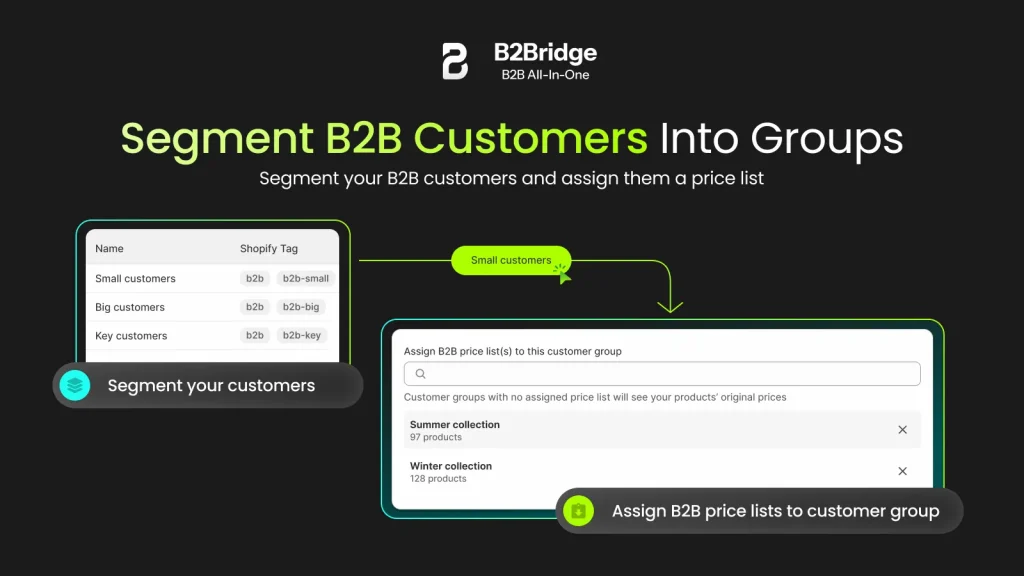
Customer-Specific Catalogs and Contract Pricing
Different customers can see different products at different prices. A regional distributor might access your full catalog at deep discounts, while a small retailer sees a limited selection at standard wholesale rates.
Contract pricing locks in negotiated rates for key accounts. Once configured, buyers see their contracted prices automatically—no manual adjustments or discount codes required.
Quick Order Pages and Bulk Reordering
Quick order provides a streamlined interface for adding many SKUs at once. Buyers paste a list of SKUs, upload a CSV, or click “reorder” on a previous purchase. Saved carts let buyers build orders over time before submitting.
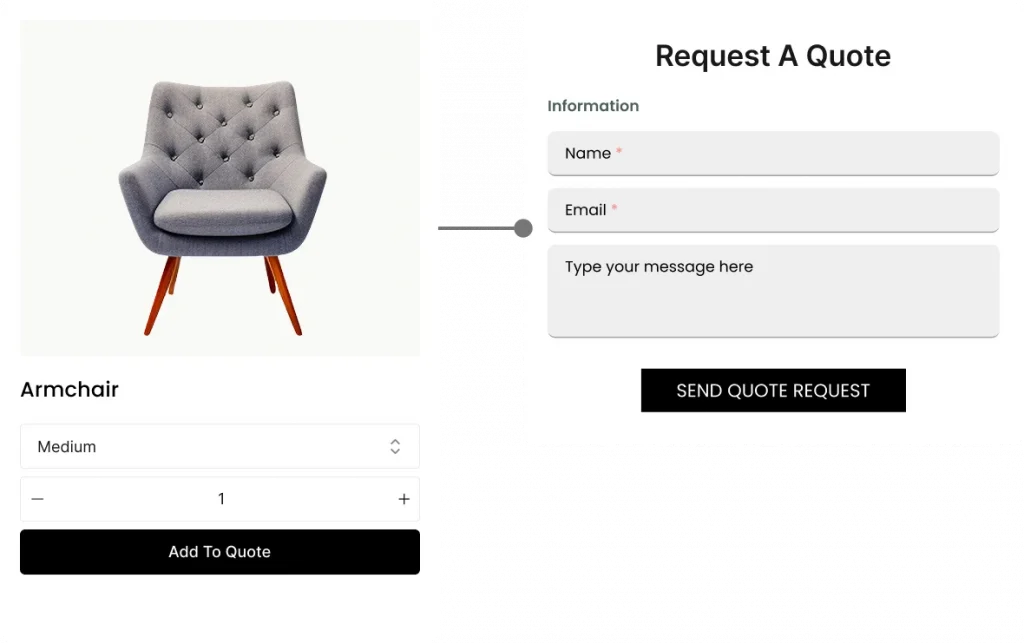
Quote to Order and RFQ Workflows
RFQ stands for Request for Quote—a formal process where buyers request custom pricing before committing to an order. The buyer submits quantities and products, you respond with pricing, and they convert the approved quote directly into an order.
RFQ workflows handle large or custom orders that don’t fit standard price lists.
Net 30 and Net 60 Payment Terms
Net terms allow buyers to receive goods now and pay later—typically within 30 or 60 days. You can set credit limits per company to manage exposure. When a buyer exceeds their limit, they can’t place new orders until outstanding invoices are paid.
Multi-Currency and Tax-Exempt Logic
International wholesale buyers expect pricing in their local currency. A B2B portal can display prices in multiple currencies based on the buyer’s location or company settings.
Tax-exempt status applies to resellers who don’t pay sales tax on wholesale purchases. The portal handles exemption certificates and applies the correct tax treatment automatically.
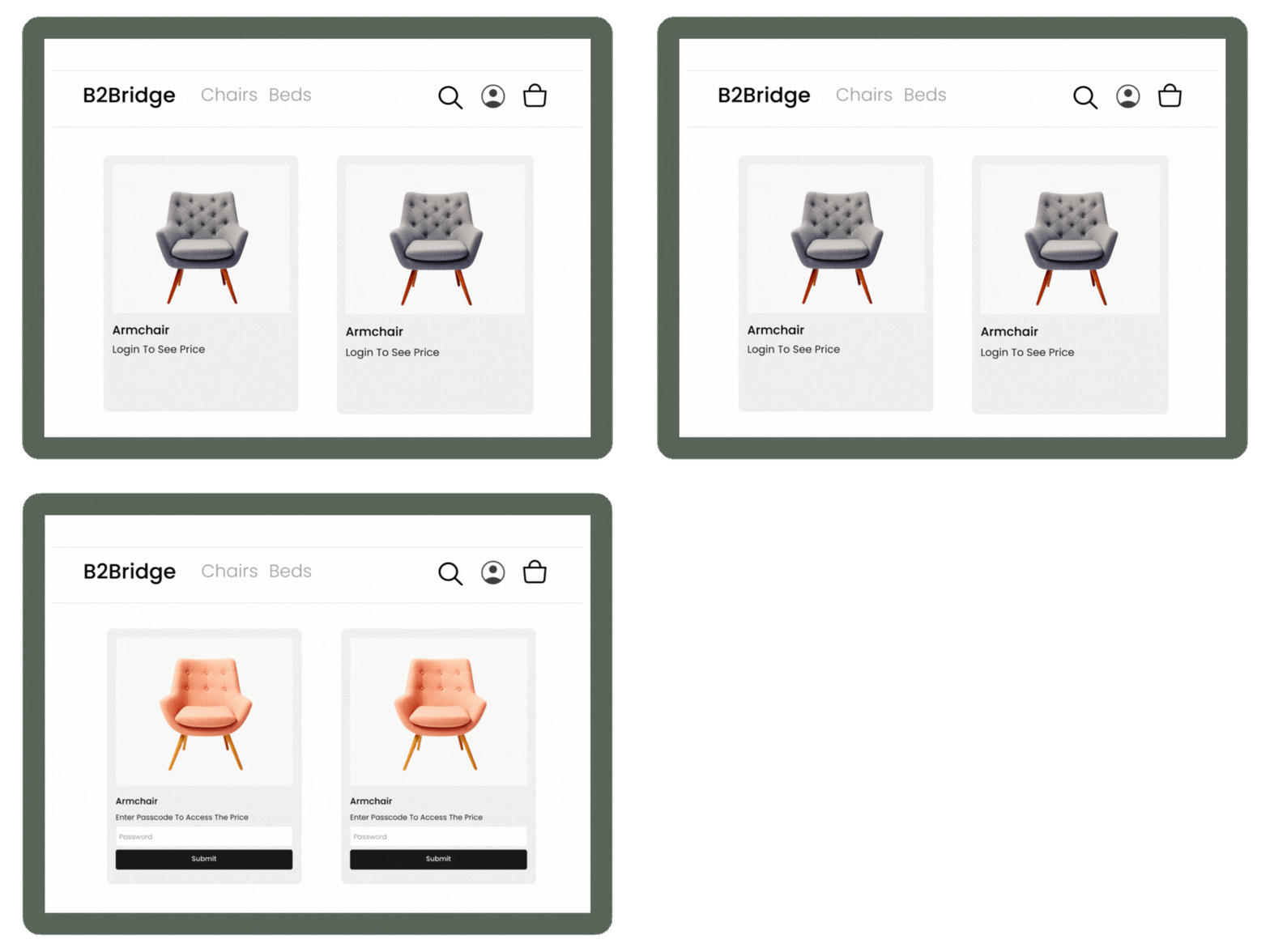
Hidden B2B-Only Pricing from Retail Shoppers
Price hiding ensures only logged-in wholesale buyers see B2B pricing. Retail visitors see standard prices, “contact for pricing,” or no prices at all. Price hiding protects your wholesale margins on unified B2B/DTC stores.
Running B2B and DTC on One Shopify Store
A unified storefront serves both retail and wholesale customers from the same Shopify store—no duplicate products or inventory to maintain.
Unified Storefront for Wholesale and Retail
The same product catalog powers both channels. Retail visitors see public pricing and standard checkout, while wholesale buyers log in and see their custom pricing, catalogs, and B2B checkout options.
Shared Inventory and Order Management
Inventory syncs across B2B and DTC orders in real time. A wholesale order reduces available stock just like a retail order would, and all orders flow into the same Shopify admin regardless of channel.
Separate B2B Login and Registration Flows
New wholesale applicants complete a dedicated registration form with business information, tax IDs, and reseller certificates. You review applications and approve qualified buyers before granting portal access.
Outcome: You manage one store, one inventory, and one product catalog while serving both wholesale and retail buyers.
Do You Need Shopify Plus for a B2B Portal
No. Shopify Plus offers native B2B features, but it’s not the only path to a functional wholesale portal.
- Shopify Plus: Native B2B features included, higher subscription cost, best for merchants already on Plus
- Standard Shopify + B2B App: Full portal functionality without upgrading plans, lower total cost
- Decision factors: Budget, required feature depth, ERP integration complexity, and customization requirements
B2B apps like B2Bridge bring enterprise-grade portal functionality to standard Shopify plans.
Connecting Your Shopify B2B Portal to ERP and CRM
Integration keeps pricing, customers, and orders aligned across systems. Without integration, your team spends hours on manual data entry and reconciliation.
Syncing Pricing and Price Lists from Your ERP
Price lists managed in your ERP can push directly to Shopify. When you update wholesale pricing in NetSuite, Zoho, or Odoo, changes reflect in your B2B portal automatically.
Keeping Customers and Companies Aligned with CRM
Company accounts and buyer contacts sync between your CRM and Shopify B2B portal. When your sales team updates a customer record, the portal reflects the changes.
Automating Orders, Inventory, and Invoices
Orders placed in your B2B portal flow to your ERP for fulfillment. Inventory updates flow back to Shopify, and invoices generate automatically for net terms orders.
Outcome: Your wholesale data stays consistent across Shopify, ERP, and CRM without manual reconciliation.
How Much a Shopify B2B Portal Costs
Cost depends on your approach. The Shopify Plus route requires a Plus subscription (from $2,300/month) plus potential app costs for advanced features. The B2B app route adds an app subscription on top of your standard Shopify plan — total cost is typically lower than Plus.
Factors affecting cost include your number of B2B customers, integration complexity, and feature depth. B2Bridge offers tiered plans based on B2B maturity — from basic wholesale flows to ERP-driven enterprise operations.
How to Set Up a Shopify B2B Portal on Your Store
1. What is a B2B buyer portal?
A B2B buyer portal is a gated, login-only area of your store where verified wholesale customers see their negotiated pricing, place bulk orders, and manage accounts on their own. On Shopify, it’s the customer-facing side of your B2B setup.
2. Define Your Wholesale Pricing and Customer Groups
Before configuring anything, document your pricing rules. What discount tiers exist? Which customers qualify for each? What volume thresholds trigger additional discounts?
3. Choose Between Native Shopify B2B and a B2B App
Evaluate Shopify Plus native features against app-based solutions. Consider your current plan, budget, and integration requirements.
4. Configure Company Accounts, Catalogs, and Terms
Set up company profiles for your wholesale customers. Assign catalogs and price lists to each company, then configure payment terms and quantity rules.
5. Integrate Your ERP, CRM, and Payment Workflows
Connect your backend systems to keep data synchronized. Set up payment method integrations for net terms, including any credit limit controls.
6. Launch, Onboard Buyers, and Iterate
Go live and invite wholesale customers to register. Gather feedback on the buying experience and refine your portal setup over time.
Scaling Your Shopify B2B Portal with B2Bridge
B2Bridge brings enterprise-grade B2B operations to any Shopify plan—no Plus subscription required. The platform adapts to your pricing models, ERP workflows, and customer structures rather than forcing you into a rigid template.
- Advanced pricing engine: Role-based pricing, contract price lists, volume rules, case packs, multi-currency, and tax-exempt logic
- Deep ERP/CRM integration: NetSuite, Zoho, Odoo, and custom ERPs with bi-directional sync
- B2B-optimized UX: Quick order pages, net terms checkout, RFQ workflows, and company account management
Beyond software, B2Bridge provides hands-on implementation and ongoing technical partnership.

Book A Demo to see how B2Bridge embeds enterprise B2B operations into your Shopify store.
Frequently Asked Questions About Shopify B2B Portals
What is the difference between a Shopify B2B portal and a wholesale app?
A B2B portal is the customer-facing interface where wholesale buyers log in and shop. A wholesale app is the software that powers portal functionality. Many B2B apps create the complete portal experience on Shopify stores—the app runs behind the scenes while buyers interact with the portal.
Can B2B buyers create separate user accounts under one company on Shopify?
Yes. Company accounts allow multiple buyers to operate under one business entity with individual logins. Each buyer has their own credentials while sharing order history, payment terms, and company-level settings.
Can I hide wholesale pricing from retail shoppers on my Shopify store?
Yes. B2B portals support price hiding so only logged-in wholesale customers see B2B pricing. Retail visitors see standard prices, “contact for pricing,” or no prices at all.
Does a Shopify B2B portal support quote requests and RFQ workflows?
Yes. Most B2B portal solutions support RFQ workflows where buyers request custom quotes for large or non-standard orders. You review the request, respond with pricing, and the buyer converts the approved quote directly into an order.
Can I migrate from a separate wholesale website to a Shopify B2B portal?
Yes. You can consolidate a standalone wholesale site into a unified Shopify B2B portal. Migration involves transferring customer accounts, pricing data, and order history—complexity depends on your current platform and data structure.

As a Product Marketing Executive at B2Bridge, I focus on the Enterprise B2B Ecommerce domain. I leverage my understanding of product and user psychology to deliver customer-centric content that addresses business challenges and fuels growth.