Finding the best quick order form app for Shopify wholesale starts with understanding what these tools do and which features matter for your buyers. This guide covers how quick order forms work and what to look for when choosing one.
What Is a Quick Order Form for Shopify Wholesale?
A quick order form is a single-page interface where an approved wholesale buyer adds many products and quantities at once and checks out with wholesale pricing in one transaction. Instead of clicking through product pages one by one, the buyer enters SKUs and submits the order from a single screen.
Quick order forms are usually gated to logged-in B2B buyers. When a buyer places an order, it writes directly into Shopify as a standard order, so you can fulfill and track it without re-keying anything.
Quick order form vs. wholesale registration form
These two forms do different jobs. A quick order form places orders. A wholesale registration form gates access and collects information from new accounts. You approve them before they see pricing or place orders.
Most wholesale brands need both. The registration form vets buyers on the way in; the quick order form lets verified buyers place orders fast once approved.
Why Wholesale Buyers Need a Quick Order Form
Wholesale buyers already know what they want. They have part numbers memorized and they reorder the same SKUs every month. Forcing them to click through product pages one by one wastes their time and your sales.
Self-service ordering is now expected. According to a Gartner B2B buyer survey, “61% of B2B buyers prefer an overall rep-free buying experience.” Buyers want to log in and order fast.
The downside of a poor ordering experience is real. The McKinsey 2024 B2B Pulse Survey found that “Fifty-four percent of those likely to switch suppliers cite poor-quality digital customer experiences as a reason to go elsewhere.” A clunky ordering experience can cost you accounts.
The wholesale opportunity on Shopify
The B2B ecommerce market is large and growing. According to the eMarketer B2B ecommerce forecast, “B2B ecommerce site sales increased 10.5% YoY in 2024, reaching $2.297 trillion.” The International Trade Administration forecast projects the global B2B ecommerce market will reach USD $36 trillion by 2026.
Shopify merchants are capturing more of this market. Per Shopify Q4 2024 earnings, B2B GMV grew more than 140% in 2024. Shopify notes that B2B is still a very small portion of its total GMV because it is a newer product offering. The growth rate shows where merchants are heading.
Does Shopify Have a Native Quick Order Form?
Native Shopify B2B (free on all paid Shopify plans since April 2026) covers company accounts and catalogs with volume pricing. That is a solid foundation for wholesale.
However, native Shopify B2B does not include a dedicated quick order page or CSV upload ordering on any plan. For a detailed breakdown of what native Shopify B2B includes, see native Shopify B2B features.
That gap is what a quick order form app fills. If your buyers want to enter SKUs directly or upload a spreadsheet, you need an app.
Features to Look for in a Quick Order Form App for Shopify Wholesale
Not every quick order app works the same way. Before you install, match the app’s features to how your wholesale buyers actually order.
The checklist below covers the capabilities that matter most. If an app is missing one your buyers need, keep looking.
Single-page bulk ordering and SKU search
The core feature is a single-page interface where buyers see a scannable product grid with quantity fields next to each product. Buyers should be able to search by SKU or barcode to find products fast.
A variant matrix (showing sizes and other variants in columns and rows) helps buyers order multiple variants at once. A running order total lets them see cart value before checkout.
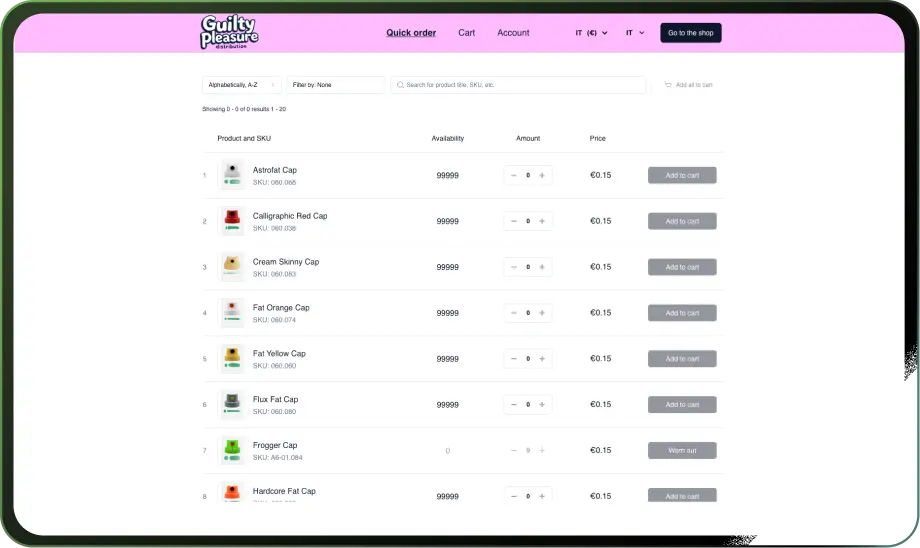
CSV upload and one-click reorder
Some buyers build orders in a spreadsheet and want to upload a CSV of SKUs and quantities. Others reorder the same products every month and want a one-click reorder button from their order history.
Look for saved carts, too. Buyers building large orders over time can save their work and check out when ready. For setup guidance, see how to set up bulk ordering on Shopify.

Order rules: MOQs, increments, and case packs
Wholesale orders have rules. The form should enforce minimum order quantities so buyers cannot submit undersized orders. It should enforce maximums if you have them.
Pack increments matter, too. If a product sells by the case of 12, the form should block orders of 13 or 14. Enforcing these rules on the order form prevents back-and-forth after the order is placed.

Correct wholesale pricing and gated access
The quick order form must show each logged-in buyer their assigned wholesale price. If you have different price lists for different customer groups, the form should pull the right prices automatically.
Key point: Gating the form to logged-in buyers keeps retail shoppers from seeing wholesale pricing.
Key point: Showing live inventory on the form helps buyers avoid ordering out-of-stock products.
Beyond ordering: net terms and quote requests
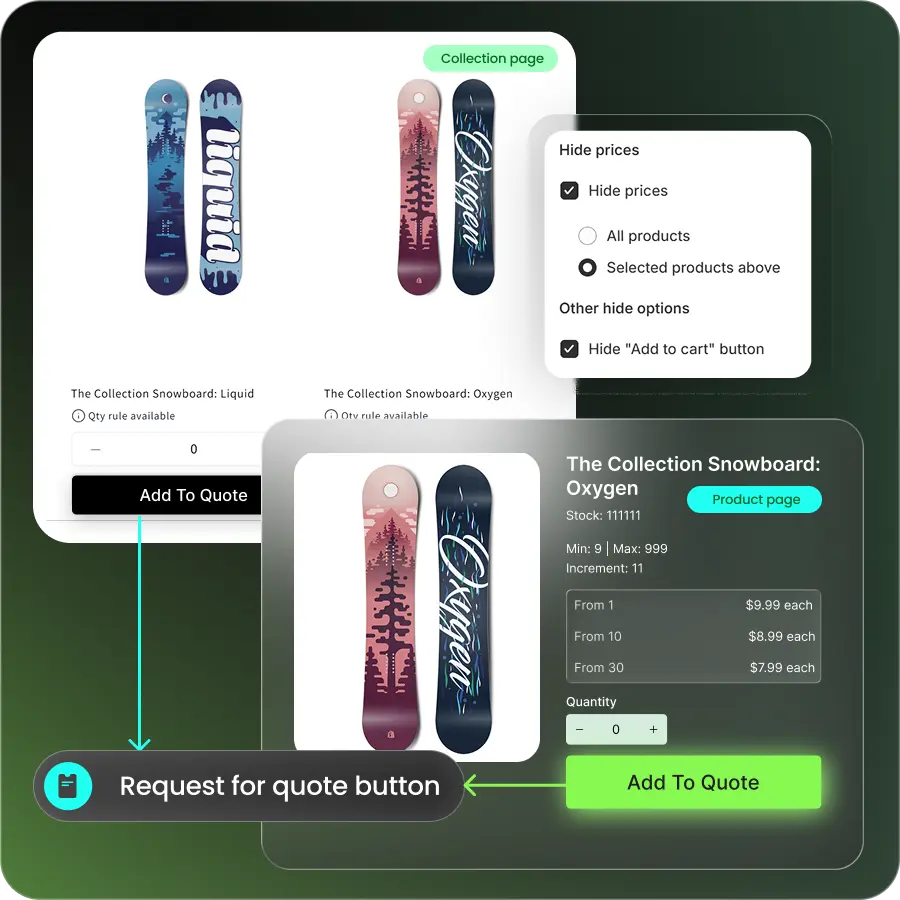
A strong quick order flow ends in a B2B checkout, not a standard retail checkout. Wholesale buyers expect net payment terms (net 30 or net 60). For large or custom orders, request-for-quote workflows let them submit an order for approval before paying.
If your app handles the order form but not the checkout, you will need another tool to close the loop.
How to Choose the Best Quick Order Form App
Start with how your buyers order, then match the app to that behavior.
Key point: If your buyers know SKUs by heart, they need a quick order form with SKU search and a product grid.
Key point: If your buyers build orders in spreadsheets, they need CSV upload ordering.
Key point: If your buyers reorder the same products monthly, they need one-click reorder and saved carts.
Key point: If your sales reps place orders on behalf of buyers, you need a rep ordering portal.
Watch for apps that are only a form. A standalone order form that does not connect to wholesale pricing or MOQs will leave gaps in your workflow. For a broader comparison of wholesale apps, see best Shopify wholesale apps.
Check plan fit and pricing. Some apps require Shopify Plus; others work on any paid Shopify plan. Review what is included at each price tier before installing.
A quick comparison table
| Buyer behavior | Best workflow | Feature to require |
|---|---|---|
| Knows SKUs by heart | Quick order form with SKU search | Single-page grid, SKU/barcode search |
| Builds orders in a spreadsheet | CSV upload | CSV import for SKUs and quantities |
| Reorders the same products monthly | One-click reorder | Reorder from order history, saved carts |
| Buys by case pack or pallet | Quantity increments | MOQ, max, and increment enforcement |
| Sales rep places orders for buyer | Rep ordering | Sales agent portal with customer impersonation |
How to Set Up a Quick Order Form on Shopify
Setting up a quick order form follows these steps:
- Decide whether you need an order form or a registration form. Some merchants need both.
- Gate the quick order form to approved buyers. Retail shoppers should not see it.
- Add products to the form and assign wholesale pricing. If you have customer-specific price lists, configure those first.
- Set MOQs and pack sizes. Block undersized or wrong-increment orders at the form level.
- Turn on the single-page order form in your app. Place a link in your navigation or B2B portal.
- Enable B2B checkout with net terms. Make sure the checkout matches what buyers expect.
- Test as a buyer. Log in with a wholesale account and place an order to verify it works.
- Launch.
Where B2Bridge Fits
B2Bridge adds a Quick Order page and CSV ordering to your Shopify store, along with one-click reorder from order history. These connect to wholesale pricing, customer groups, and MOQs in one system.
B2Bridge works on any Shopify plan. You do not need Shopify Plus to add a professional quick order experience.
To see the full feature set, visit B2Bridge B2B features.
Frequently Asked Questions
What is the best quick order form app for Shopify wholesale?
There is no single winner. The best app matches how your buyers order (SKU entry or CSV upload) and connects to wholesale pricing and MOQs.
Do I need Shopify Plus to add a quick order form?
No. Apps like B2Bridge add quick order forms to standard Shopify plans without requiring Plus.
Is a quick order form the same as a wholesale registration form?
No. The order form places orders; the registration form gates access and collects information from new accounts before you approve them.
Can buyers upload a CSV to place a wholesale order?
Yes, with an app that supports CSV upload ordering. Buyers upload a spreadsheet of SKUs and quantities, and the app builds the order automatically.
antities, and the app builds the order automatically.

As a Product Marketing Executive at B2Bridge, I focus on the Enterprise B2B Ecommerce domain. I leverage my understanding of product and user psychology to deliver customer-centric content that addresses business challenges and fuels growth.


