Deciding whether Shopify can handle your wholesale operation often comes down to a single question: do you need more than three pricing catalogs, automated buyer registration, and real-time ERP (Enterprise Resource Planning) sync — or can you live within the platform’s native limits? Shopify’s April 2026 update expanded foundational business-to-business (B2B) features to every plan, which clarified exactly where native tools stop and serious wholesale requirements begin.
This guide maps every significant limitation — pricing structure, hard incompatibilities, ordering caps, payment gaps, and ERP integration — so you can build the right setup for your wholesale operation without overpaying for features you don’t need or underbuilding for the ones you do.
What Shopify Offers Natively for B2B
Shopify’s April 2026 update moved a meaningful set of wholesale features to all plans, not just Shopify Plus. Merchants on Basic, Grow, and Advanced can now access company profiles for wholesale buyers, up to three custom pricing catalogs assigned through Shopify Markets, volume discounts with up to 10 price breaks per product, vaulted credit cards, and payment terms including Net 15, Net 30, and Net 60. For a brand with one or two wholesale tiers and a small account roster, this is a functional starting point. It also makes clearer than ever exactly where the native stack reaches its ceiling.
| Feature | Basic / Grow / Advanced | Shopify Plus |
| Pricing catalogs | Up to 3 active, assigned via Markets | Unlimited, assigned directly per company |
| Volume pricing | Up to 10 price breaks per product | Same |
| Net terms, vaulted cards, ACH | Yes | Yes |
| Partial payments and deposits | No | Yes |
| Direct catalog-to-company assignment | No | Yes |
| Contextual checkout per Market | Advanced plan only | Yes |
| Unlimited catalogs | No | Yes |
What Requires New Customer Accounts
One setup requirement that catches merchants off guard: Shopify’s native B2B works exclusively with new customer accounts — the legacy customer account system is not compatible. B2B buyers must be set up as Companies with associated locations in Shopify admin, and each buyer must be tied to a company location or Shopify will apply direct-to-consumer (D2C) pricing instead. This is not optional — it is the foundation the entire native B2B stack is built on.

What Remains Plus-Only
Unlimited catalogs, direct catalog-to-company assignment, partial payments, deposits, and payment requests per fulfillment stay exclusive to Shopify Plus at $2,300/month. For merchants running four or more customer segments — distributor, regional dealer, key account, standard wholesale — the three-catalog ceiling is the first structural wall they hit. Every additional pricing segment beyond three requires either a Plus upgrade or a third-party wholesale app that manages price lists outside Shopify’s Markets infrastructure.
Hard Incompatibilities with Native Shopify B2B
This is the section most articles skip. Shopify’s native B2B checkout is not compatible with a range of features that are standard on B2C stores. These are not workaround-able gaps — they are hard technical incompatibilities documented by Shopify.
Accelerated checkout methods are completely excluded. Shop Pay, Apple Pay, Google Pay, and Amazon Pay do not function in the B2B checkout flow. Wholesale buyers must pay by credit card, ACH (US only), or net terms. If your B2B customers expect one-click checkout experiences, native Shopify B2B cannot deliver them.
Shopify POS is not compatible with native B2B. In-person wholesale order taking — trade shows, showroom visits, rep counter sales — cannot use B2B pricing through Shopify POS on any plan. Local delivery and pickup points also do not work in the B2B storefront (they are only available in draft orders created from the admin).
Subscriptions are not supported. Recurring wholesale orders — common in food and beverage, beauty, and consumables distribution — cannot be set up through Shopify’s native subscription infrastructure in a B2B context.
Agentic storefronts show D2C pricing only. Shopify’s Winter 2026 update introduced Agentic Storefronts — the ability to sell through AI channels like ChatGPT and Microsoft Copilot. But B2B pricing does not carry through these channels. Even on a blended store where a buyer is logged in with their company account, the AI channel will display D2C prices. This is a structural limitation, not a configuration issue.
checkout.liquid customizations do not apply to the B2B checkout flow. Merchants who have built custom checkout logic through checkout.liquid need to rebuild that logic using Checkout Extensibility for it to function in B2B.
The 6 Core Shopify Limitations for Wholesale Operations
Beyond the hard incompatibilities, six structural gaps consistently surface for mid-market and enterprise wholesale merchants. These are not missing features that Shopify plans to add — they are deliberate architectural choices that reflect Shopify’s roots as a retail platform, extended to serve B2B use cases. Understanding each gap matters not just for evaluating Shopify, but for estimating the full operational cost of building B2B on the platform. Apps close most of these gaps reliably. The question is whether each workaround holds up as your account base grows, your customer segments multiply, and your order volume demands real-time synchronization with an external ERP rather than periodic manual updates.
1. Three-Catalog Ceiling for Tiered Pricing
Shopify’s B2B catalog system uses Shopify Markets logic, hard-capping non-Plus stores at three active catalogs total — across all markets combined, not per market. If your US Wholesale market uses all three catalogs for Bronze, Silver, and Gold pricing, there is nothing remaining for a UK distributor tier or a Preferred Accounts group. Most established wholesalers run four or more segments. Every segment beyond three requires a Plus upgrade at $2,300/month or a wholesale app that manages unlimited price lists independently of the Markets architecture.
2. No MOQ Enforcement or Order-Level Minimums at Checkout
Shopify has no native minimum order quantity (MOQ) enforcement on any plan. Buyers can purchase at bulk wholesale prices without meeting the volume that justifies those prices — a direct margin risk. The same gap exists for minimum order values. The standard workarounds are a quantity restriction app, a checkout blocks app for order-value minimums (Checkout Blocks has a free tier), or Shopify Functions logic — each requiring configuration per product or product group. Volume pricing exists natively (up to 10 price breaks per product), but enforcing a quantity floor at checkout is a different mechanism that native Shopify does not provide.
3. Order and Draft Order Line Item Caps
Shopify caps B2B checkout orders at 500 line items and draft orders (created from admin) at 200 line items. For wholesale buyers ordering across a broad catalog — common in food distribution, hardware, and industrial supply — these limits create hard operational ceilings. A buyer ordering 250 SKUs in a single session cannot complete that order through the native draft order flow. This cap is not adjustable and is not lifted on Shopify Plus. Merchants with high-SKU wholesale accounts need to plan their ordering workflows around this constraint.
4. No Automated B2B Registration and Approval Workflow
Native Shopify B2B has no self-service registration form that auto-creates company profiles, assigns catalogs, and grants access when approved. Shopify Forms (a free separate app) lets buyers submit requests, but every application still requires a human to manually create the company record, assign catalogs, configure payment terms, and notify the buyer. For merchants onboarding 20 or 30 wholesale accounts per month, this is a real throughput bottleneck.
Solutions like B2Bridge handle the full workflow — custom form, review queue, automatic company creation, group assignment, and notifications — without manual admin steps per applicant.

5. No Native Quick Order, CSV Upload, or RFQ Workflow
Three ordering workflows wholesale buyers routinely expect are absent from native Shopify B2B on any plan: quick order entry (adding 30+ products from a single grid page), CSV (Comma-Separated Values) order upload from a buyer-side spreadsheet, and Request for Quote (RFQ) — where a buyer requests custom pricing, the merchant responds, and the accepted quote converts to an order. Without quick order, buyers placing large reorders face the same product-by-product browsing experience as a D2C consumer. Without RFQ, price negotiations happen over email with no audit trail and no direct path to a draft order.
6. Limited ERP and CRM Integration Depth
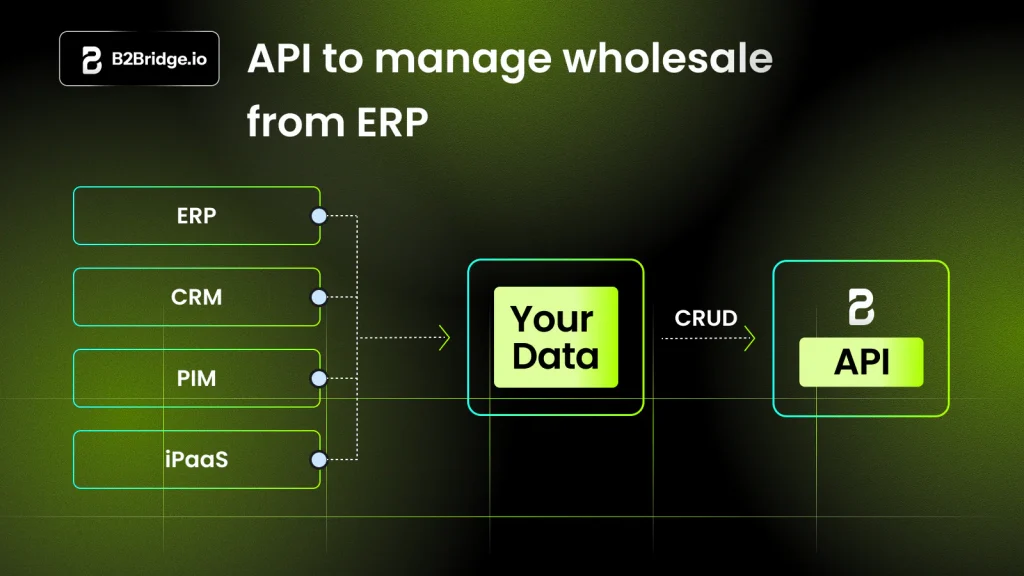
Shopify’s connections with NetSuite, Zoho, Odoo, and similar ERP systems are handled through the app ecosystem, not native platform APIs. For manufacturers and distributors whose pricing and customer segmentation lives in an ERP, keeping Shopify aligned requires middleware, manual field mapping, and ongoing maintenance. Each time you update your ERP’s price schedule, that change needs a separate mechanism to propagate to Shopify’s B2B catalogs.
An enterprise B2B platform like B2Bridge includes purpose-built REST API endpoints for customer groups and price lists, enabling direct ERP-to-Shopify sync without a custom middleware layer. See how B2Bridge works →
Hidden Gotchas in Blended B2B and B2C Stores
Running B2B and D2C from the same Shopify store — the blended store setup — introduces a category of limitations that only become visible after launch. Most appear because features that work naturally in a pure B2C store don’t scope cleanly to a single channel when B2B is added on top. Both gotchas below are documented Shopify behavior, not bugs. Understanding them before you build saves significant troubleshooting time later.
Features Off by Default That Affect Both Channels
Several features are disabled by default in B2B stores and must be explicitly enabled by contacting Shopify Support: discount codes and automatic discounts, pickup in store, line item scripts, abandoned checkout recovery, and gift cards at checkout. The critical issue is that enabling these features applies them to both B2B and D2C customers simultaneously — you cannot scope them to one channel only. The one exception is discounts: by creating a B2B Market and scoping discount eligibility to that market, you can isolate promotions to B2B buyers. For all other features, enabling them is an all-or-nothing store-wide change.
Payment Capture Complexity on Net Terms
When a B2B buyer completes a net terms order, Shopify creates a draft order in the admin. Payment capture must be done manually when there is no valid payment authorization or when due-on-fulfillment terms apply. After the payment due date passes, the order displays as Overdue in Shopify admin — but payment is not captured automatically. Your team must track overdue accounts and manually process payment, or integrate a receivables management app. This is not a Shopify bug; it is how net terms are designed to work. But merchants expecting automatic payment capture at term expiry will be surprised.
>> See more: Shopify B2B Payment Limitations and How to Work Around Them
How Shopify Merchants Close the Gap Without Shopify Plus
For merchants who need more than native Shopify B2B covers but aren’t at the revenue threshold where Shopify Plus pays for itself, a purpose-built wholesale app is the practical path. Not all apps take the same approach — the difference between a discount overlay and a price override matters significantly for reporting accuracy and ERP synchronization.
| Approach | How It Works | Best For | Reporting Impact |
| Discount overlay | Applies a discount code or automatic discount at checkout | Simple SMB setups | Orders show retail price minus promo — distorts gross merchandise value (GMV) |
| Price override | Sets actual variant price for the logged-in buyer | Mid-market and enterprise | Orders reflect true B2B price — clean revenue reporting |
| Customer group + price list | Maps buyers to segments, assigns price lists per group | Complex multi-tier operations | Fully accurate — no discount artifacts in revenue data |
Price Override vs. Discount Code Approach
When wholesale prices are applied via discount codes, every B2B order appears in Shopify reports as a retail sale with a promotion applied. This inflates your listed gross revenue and makes it impossible to distinguish wholesale revenue from retail revenue without manual filtering — a real problem if you’re syncing to an ERP or presenting financials to stakeholders. A price override app sets the actual variant price for the logged-in buyer at the storefront level, so your reports reflect true B2B revenue from the moment the order is placed.
Building a Scalable Wholesale Workflow on a Standard Plan
A scalable B2B setup on a non-Plus plan requires four components working together: unlimited price lists matched to customer segments, a gated storefront that hides prices until buyers authenticate, a self-service registration and approval workflow, and a bulk ordering interface. When these four components run inside a single app, configuration changes stay manageable as your account base grows. When they run across four separate apps, every change requires validating that it doesn’t break the interaction between apps — and every new wholesale account becomes an onboarding task across four systems simultaneously.
FAQs about Shopify B2B Limitations
Can I sell wholesale on Shopify without Shopify Plus?
Yes — all plans now include company profiles, up to three catalogs, volume pricing, and payment terms. Beyond three pricing segments or for deposit and partial payment support, Shopify Plus or a wholesale app is required.
What checkout methods are excluded from Shopify B2B?
Shop Pay, Apple Pay, Google Pay, and Amazon Pay are not supported in native Shopify B2B checkout on any plan. B2B buyers pay by credit card, ACH (US only), or net payment terms only.
Does Shopify’s B2B pricing appear on AI shopping channels?
No — Shopify’s Agentic Storefronts (ChatGPT, Microsoft Copilot) display D2C pricing only. B2B catalog prices are not passed through AI commerce channels, even for logged-in company account buyers.
What is the draft order line item limit in Shopify?
Draft orders created from Shopify admin are capped at 200 line items. Checkout orders through the storefront cap at 500 line items. Neither limit is adjustable or removed on Shopify Plus.
How do discount codes work in a blended B2B and D2C store?
Discounts are off by default in B2B and must be enabled by Shopify Support — applying store-wide when enabled. To limit discounts to B2B buyers, create a B2B Market and restrict discount eligibility to that market only.
Run Enterprise B2B on Any Shopify Plan
The gaps in Shopify’s native B2B stack — catalog limits, no MOQ enforcement, no registration automation, no RFQ, hard checkout incompatibilities, and shallow ERP sync — don’t require a $2,300/month Shopify Plus upgrade to close. An enterprise B2B solution built for Shopify handles every one of them on a standard plan.
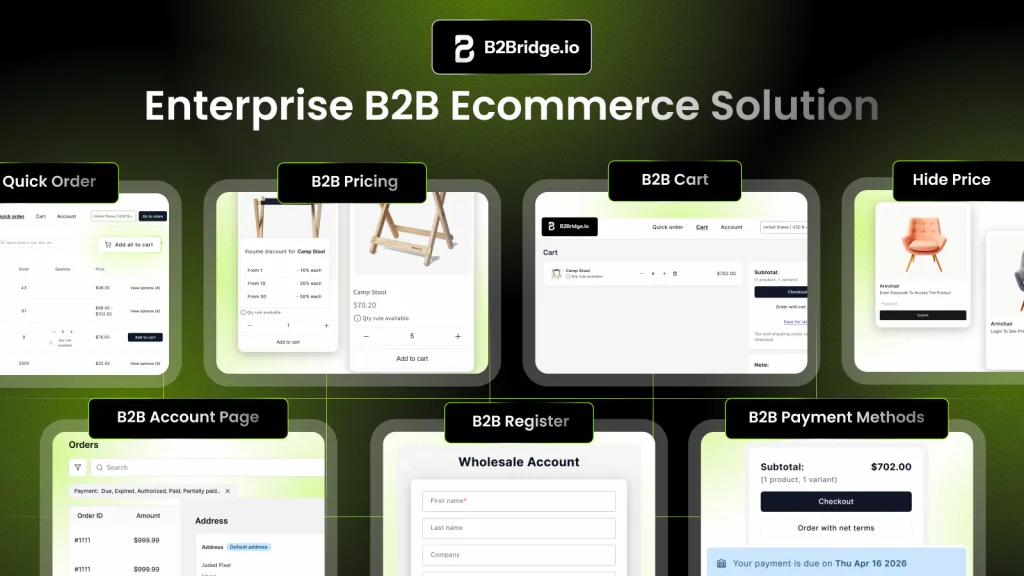
For manufacturers, distributors, and wholesale merchants on Shopify, B2Bridge provides the complete B2B operating layer:
- Unlimited Price Lists: Configure as many customer segment tiers as your operation requires — no catalog ceiling, no Markets dependency.
- Override Price: Prices set at the variant level for logged-in buyers — reports show true B2B revenue, not retail minus a discount code.
- B2B Registration and Approval: Custom form, automatic company creation, group assignment, and notifications — no manual admin step per applicant.
- Net Payment Terms: Net 15, 30, 60, or 90 per customer group with a dedicated checkout flow and Shopify draft order creation on completion.
- RFQ and Quote-to-Order: Accepted quotes convert directly to Shopify draft orders — full audit trail included.
- ERP Integration: REST API endpoints sync customer groups and price lists with NetSuite, Zoho, Odoo, and custom systems.
Outcome: Wholesale operations on B2Bridge run through one coordinated system — no multi-app stack, no pricing discrepancies, no catalog ceiling.
Book A Demo — see how B2Bridge handles your specific wholesale requirements.

As a Product Marketing Executive at B2Bridge, I focus on the Enterprise B2B Ecommerce domain. I leverage my understanding of product and user psychology to deliver customer-centric content that addresses business challenges and fuels growth.