Shopify Plus features and benefits center on greater checkout control, expanded B2B capabilities, and tools for managing complex commerce operations. The plan adds capacity and specialized functionality for growing businesses. Its value comes from the specific limits it removes, the work it reduces, and the economics of your store.
For merchants selling retail and wholesale together, those distinctions matter. Whether you need account-specific catalogs or custom purchasing requirements, the relevant entitlements deserve a closer look. This guide explains their benefits and limitations, then walks through the upgrade decision.
What does Shopify Plus add to standard plans?
Shopify Plus is Shopify’s enterprise plan, with additional access and higher operating limits. The useful comparison starts with capabilities your current plan already provides.
| Capability | Basic, Grow, Advanced | Shopify Plus | Business benefit |
|---|---|---|---|
| B2B market catalogs | Three active assignments across markets | Unlimited | More pricing segments |
| Direct company catalog assignment | Unavailable | Available | Account-specific pricing |
| Apps in core checkout steps | Unavailable | Eligible apps supported | Tailored buying steps |
| Shopify Flow | Available | Extra custom-app tasks and capacity | Broader automation |
| Included expansion stores | No Plus allowance | Main store plus nine eligible stores | Separate regional operations |
These distinctions follow Shopify’s B2B plan comparison, checkout documentation, Flow requirements, and expansion-store rules. Non-Plus B2B catalogs require new Shopify Markets.
Your priorities determine which differences matter, because negotiated account pricing and regional storefront coordination create different requirements.
How does Plus improve checkout customization?
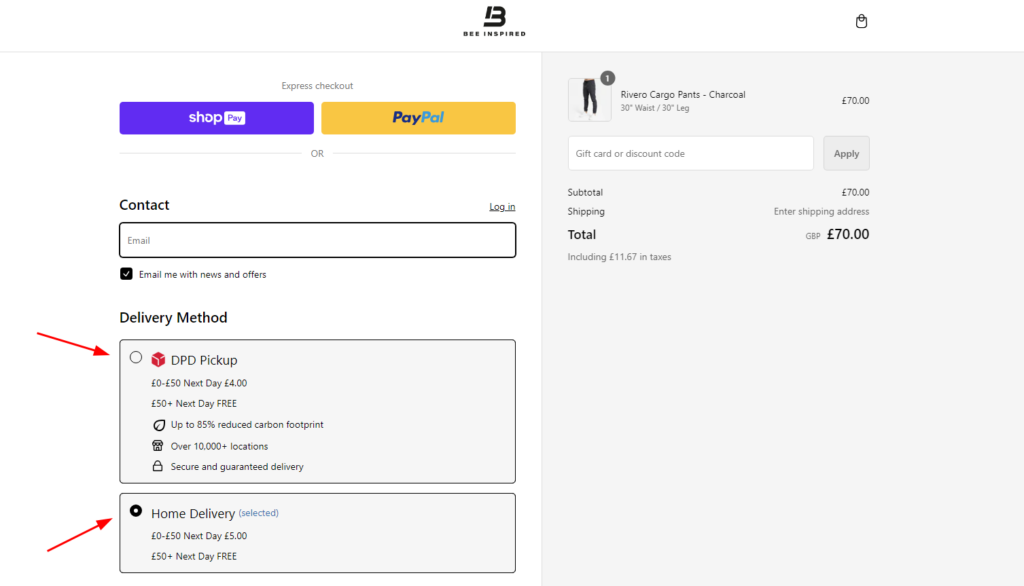
Plus allows eligible apps inside the information, shipping, and payment steps of checkout. The Checkout Branding API adds deeper visual customization beyond the standard branding available on lower plans. Basic and higher plans already support eligible thank-you-page apps. Shopify documents these checkout differences.
Control over this purchase stage lets you address problems where they occur. Displaying delivery guidance where buyers choose shipping, for example, can answer questions before they become support requests.
Implementation still matters. Plus doesn’t give you unrestricted editing of the checkout’s underlying code. You’ll need compatible apps or development within Shopify’s supported extension framework.
Shopify Functions adds custom business logic. Public apps containing Functions can work across plans, subject to individual API restrictions. Custom apps containing Functions require Plus. Shopify’s availability rules make that distinction explicit.
Choose a change with a measurable purpose. Track completed checkouts or delivery-related questions after implementation.
What B2B features are exclusive to Plus?
Plus adds unlimited B2B catalogs and direct assignment to companies or company locations. These capabilities support negotiated assortments and prices for individual business accounts. Shopify’s catalog documentation explains how assignments determine the products and prices buyers can access.
For a distributor with separate regional dealer agreements, direct assignment gives each account its relevant catalog. Buyers can then order against their agreed assortment and prices, reducing the need for manual clarification.
Basic, Grow, and Advanced already support companies and ordinary payment terms. Their catalog allowance covers three active assignments across all B2B markets. Assigning all three within one market uses the allowance. Shopify compares those limits by plan.
Plus also adds deposits, partial payments, and payment requests per fulfillment. Ordinary net 30 payment terms serve a different purpose: they set when payment is due. Confirm whether your purchasing process needs credit terms, an upfront deposit, or both.
How do expansion stores support international growth?
Shopify Plus includes a main store and nine eligible expansion stores under its standard contract. These stores can support regional operations or dedicated wholesale experiences within the same brand. Shopify’s expansion-store rules define the allowance and eligibility.
Separate store configurations give regional teams room to manage a different assortment or customer experience. Central administration helps organize access and billing.
The stores remain independent. Products and inventory don’t synchronize automatically between them. Apps are billed per store, and each store needs its own theme license.
Before adding another storefront, map which system owns inventory and how updates reach each store. Include connector costs and maintenance in the business case.
If retail and wholesale can share one operation, a hybrid B2B and B2C store may fit better. Additional stores become useful when the operating requirements justify separate experiences.
Which automation tools reduce manual work?
Launchpad helps Plus merchants coordinate scheduled sales events. It can publish selected products, change promotional pricing, and schedule theme changes. Coordinating those changes reduces manual work when a campaign begins or ends. Shopify lists the supported Launchpad tasks.
For everyday workflows, Shopify Flow can route information or trigger follow-up work in response to store events. Flow is free on Basic, Grow, Advanced, and Plus.
The Plus distinction includes tasks created by custom partner apps. Usage capacity also follows the store’s plan-based API limits. Shopify’s Flow documentation separates these entitlements, so basic automation alone doesn’t justify an upgrade.
Shopify Scripts stopped working on June 30, 2026. Current projects should use the supported Functions approach described in Shopify’s retirement notice.
Start with a recurring task, recording manual interventions before and after the workflow goes live.
How do higher API limits help integrations?
Higher API capacity helps when order processing and inventory updates compete with large catalog jobs. Busy integrations gain more room to exchange data with Shopify during those periods.
The GraphQL Admin API allows 1,000 query-cost points per second on Plus. Advanced receives 200, while the standard limit is 100. These limits apply per app and store, measuring query cost rather than a fixed number of requests. Shopify publishes the API limits.
That extra capacity can reduce throttling when an integration approaches its allowance. It doesn’t build the connection or guarantee immediate synchronization. Your team still needs to map data and handle failed updates.
Review the workload with your developer, because bulk operations may address large imports before a plan change becomes necessary. Shopify recommends those operations for moving substantial datasets.
A sound B2B ecommerce integration starts with clear data ownership. Additional throughput helps once the design and workload justify it.
How does Plus support larger teams and retail operations?
Plus supports unlimited staff accounts, allowing growing teams to access the administration tools they need. Access should still follow each person’s responsibilities. Shopify lists this allowance in its Plus plan overview.
For physical retail, the first 20 POS Pro locations are included. Businesses using Shopify Payments as their primary retail payment provider can qualify for waived POS Pro fees at their first 200 locations. Shopify explains the conditions.
POS Pro adds retail capabilities such as staff permissions and exchanges. It’s also available as a paid addition to other Shopify plans. The Plus benefit includes the subscription allowance, rather than exclusive access to the product.
Count the locations that need those capabilities, while keeping hardware and processing costs in your budget. If you’re opening stores, compare the eligible subscription savings with the extra platform cost.
Don’t count unused locations as savings. Value the capabilities your operating plan will use.
What should you expect from performance and support?
Plus provides specialized tools for high-demand selling, alongside priority support. Its value during a launch includes controlling access to scarce stock and responding when an issue occurs.
Shopify’s Plus bot protection can slow automated checkout activity during flash sales. Activation requires Plus Support, and the feature applies to the Online Store channel. Protection events have a maximum duration of 60 minutes. Shopify documents these limits.
Prepare around those conditions by testing the purchasing journey and assigning someone to monitor the event. Bot protection isn’t a substitute for checking theme behavior or app conflicts.
Shopify also lists priority phone and chat support around the clock, but confirm any uptime agreement in your contract. The Plus plan documentation describes an SLA as a possible inclusion.
An upgrade alone doesn’t prove your storefront will load faster. Measure the actual problem before assigning performance gains to a plan change.
How much does Shopify Plus cost?
Shopify Plus starts at $2,300 USD per month on a three-year term. A one-year term starts at $2,500 USD monthly. These prices cover standard setups; complex businesses may use variable platform pricing. Shopify publishes the currency and term details.
Budget for implementation, ongoing applications, and payment processing alongside the platform fee. Card rates vary by country, so use a current commercial quote for your comparison. Shopify’s pricing guidance explains the additional cost considerations.
A fee-only break-even calculation uses incremental monthly cost divided by the processing-rate reduction. Suppose an upgrade adds $2,000 monthly and saves 0.2 percentage points on eligible sales. Those hypothetical inputs require $1 million in eligible monthly sales to offset that cost.
That isn’t a Shopify eligibility threshold or a quoted savings rate. Replace both inputs with your figures, then assess operational savings and implementation costs separately.
When is Shopify Plus worth upgrading to?
Which current constraint would the upgrade remove, and what is that removal worth?
Plus is worth evaluating when a specific entitlement solves a costly operational problem. A checkout requirement or customer-level catalog model can create a stronger case than revenue alone. Work through the decision in this order.
- Identify the constraint by documenting the blocked checkout change, pricing requirement, or operating limit. Confirm its current plan eligibility.
- Measure its cost through manual work and avoidable errors, using actual operating data for expected benefits.
- Price your current setup, targeted apps, and Plus with complete implementation quotes that include ongoing ownership costs.
- Prove the workflow with a representative order and its downstream updates. Assign responsibility for exceptions before signing a longer commitment.
If your current plan meets the requirements, you can defer the upgrade. If several Plus capabilities solve documented problems together, the combined business case becomes stronger.
What if wholesale operations are your main constraint?
Scale wholesale operations with B2Bridge
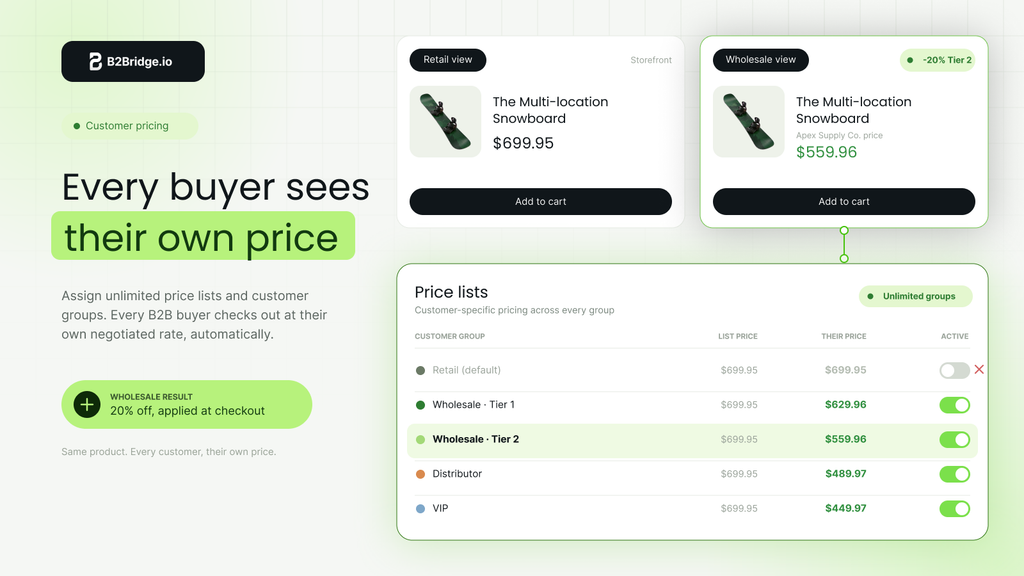
B2Bridge helps Shopify merchants expand wholesale with unlimited price lists, customer groups, and B2B orders on its Professional plan. It combines wholesale pricing and ordering workflows within one app.
The Professional plan costs $99 monthly. Growth costs $199 monthly and adds company accounts, quote requests, credit limits, and Sales Rep Portal functionality. Advanced costs $299 monthly and includes Public API access. B2Bridge pricing lists the current plan details.
For sales-led operations, the portal lets representatives order for assigned customers and track commissions. API access and integration support can connect B2B data with business systems. Confirm the required ERP scope and implementation costs during evaluation.
Choose Plus when its platform entitlements are necessary. If your immediate requirement is a more complete wholesale workflow, evaluate B2Bridge against that workflow. Bring a real customer-pricing agreement and an example order so the demo can show how your operation would work.
FAQs about Shopify Plus features and benefits
Does Shopify Plus require a headless storefront?
No, you can keep a theme-based storefront on Plus. Headless commerce is an optional architecture, with separate development decisions. Shopify lists headless storefronts among its available Plus capabilities, rather than a mandatory setup.
Is Shopify Audiences available to every Plus merchant?
No, Shopify Audiences requires an eligible Plus store based in the United States or Canada, using Shopify Payments. Shopify Network Intelligence must also be enabled. Check Shopify’s eligibility requirements before planning campaigns.
Can unrelated brands share the included expansion stores?
Standard expansion-store eligibility requires extensions of the main brand. Unrelated brands shouldn’t be assumed to qualify for the included allowance. Review Shopify’s brand requirements and confirm the appropriate commercial arrangement with Shopify.
Does Shopify Plus automatically collect overdue B2B payments?
No, setting payment terms doesn’t automatically capture payment when the balance becomes due. Even with a saved card, collection requires the appropriate action. Shopify’s payment documentation explains manual capture and buyer payments.
Can I keep my existing apps after upgrading?
Plus doesn’t require replacing every app. Shopify says merchants may still need applications for their requirements. Review compatibility and pricing with each vendor before changing the stack; Plus pricing guidance addresses continued app use.

As a Product Marketing Executive at B2Bridge, I focus on the Enterprise B2B Ecommerce domain. I leverage my understanding of product and user psychology to deliver customer-centric content that addresses business challenges and fuels growth.


