TL;DR: B2Bridge now lets you upload and download entire price lists as CSV files, so you can update thousands of B2B prices in one file instead of editing them one by one. Available on the Growth plan ($199) and above.
B2Bridge has rolled out a highly requested update to its B2B All-in-One platform: bulk import and export for price lists. You now manage complex pricing data in a single file, which saves time and cuts manual errors.
What Is the Import & Export Price List Feature?
The Import & Export Price List feature lets you upload and download entire price lists as CSV files from the Price Lists dashboard. Instead of editing prices one at a time, you export your current data, change thousands of prices in one spreadsheet, and import the file back to apply every update at once.
The feature is available on the Growth plan at $199 and above. For full details, see the pricing page.
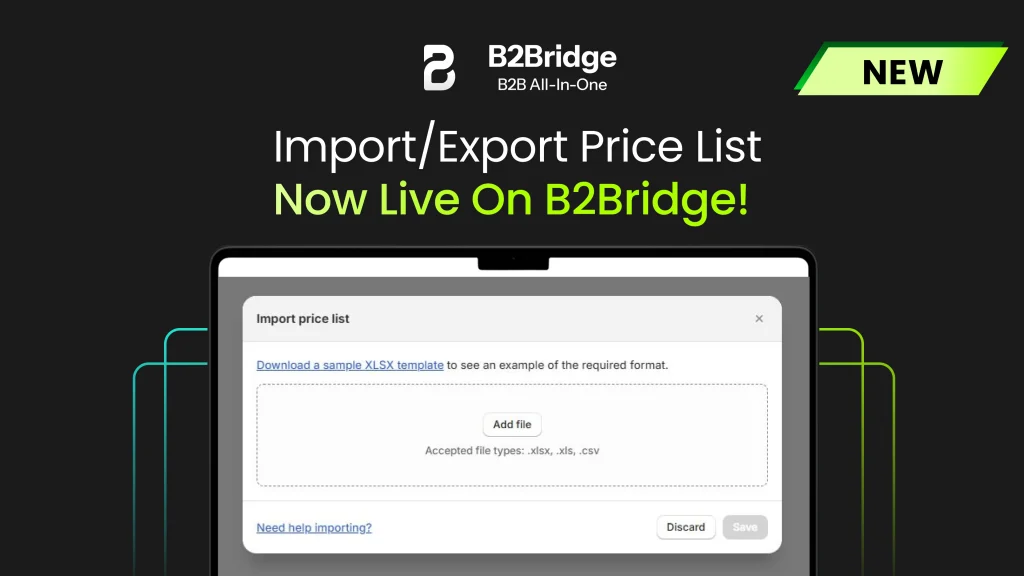
| Capability | What it does | Format |
|---|---|---|
| Export price list | Download your current pricing data to back up, analyze, or share with your team and partners | CSV |
| Import price list | Upload an updated file to apply bulk price changes instantly, with no manual entry | CSV |
Why Bulk Price Management Matters for B2B Merchants
Pricing is one of the most time-consuming and error-prone jobs in B2B commerce, especially once you run many customer groups and price lists. Bulk import and export removes the manual work behind every price change, so your team spends less time in the dashboard and more time selling.
The feature helps you:
- Keep pricing accurate by reducing manual data-entry mistakes.
- Update prices in bulk instead of editing each product on its own.
- Share price lists internally or with partners to keep everyone aligned.
- Reduce admin overhead across your whole pricing workflow.
Because B2Bridge keeps price lists unlimited on every paid plan, bulk import means you can scale to thousands of SKUs and customer-specific prices without hitting record caps. It is one more piece of the all-in-one toolkit you use to run wholesale on your existing Shopify store.
How to Import and Export Price Lists
Follow four steps to update your pricing in bulk.
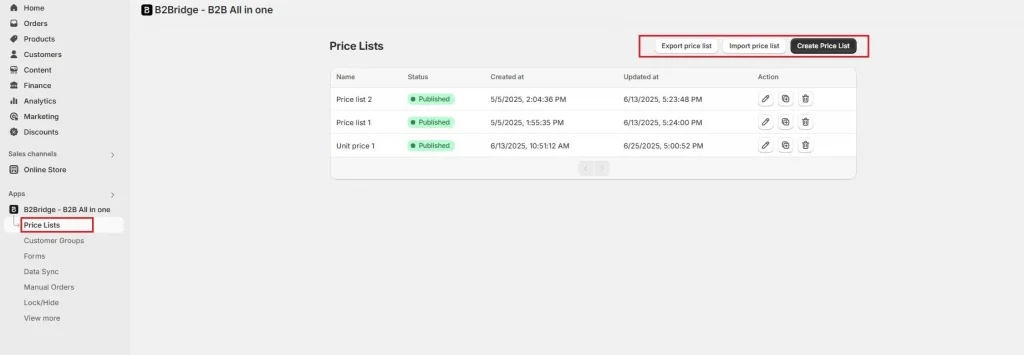
- Open the Price Lists section in your B2Bridge dashboard.
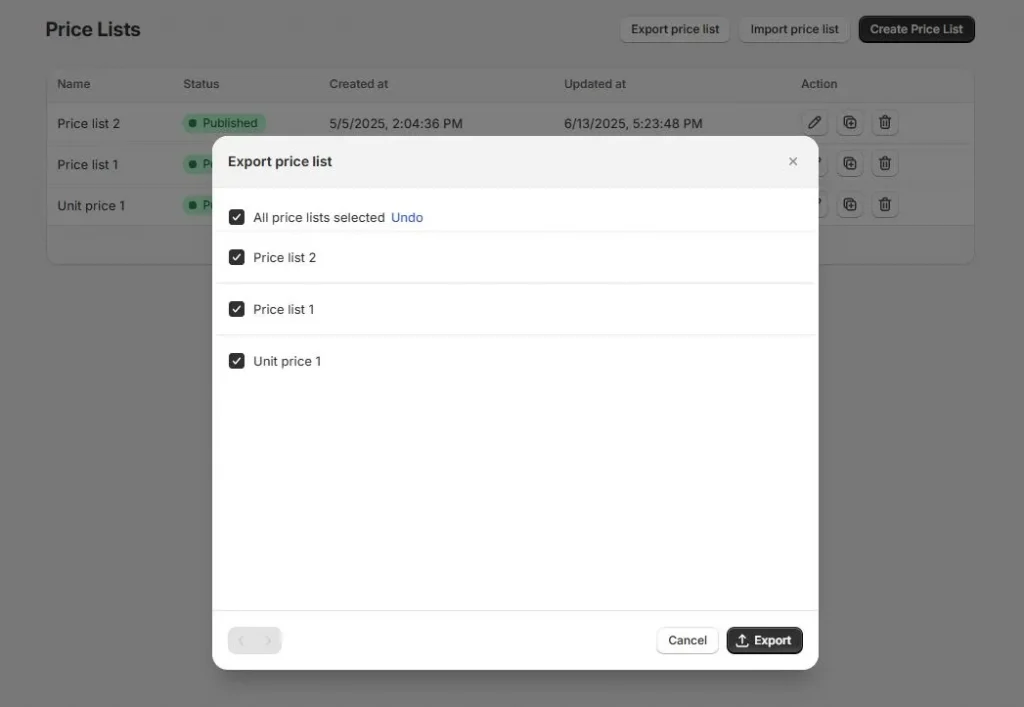
- Click Export price list to download your current pricing as a CSV file.
- Edit the CSV in any spreadsheet editor, then save it.
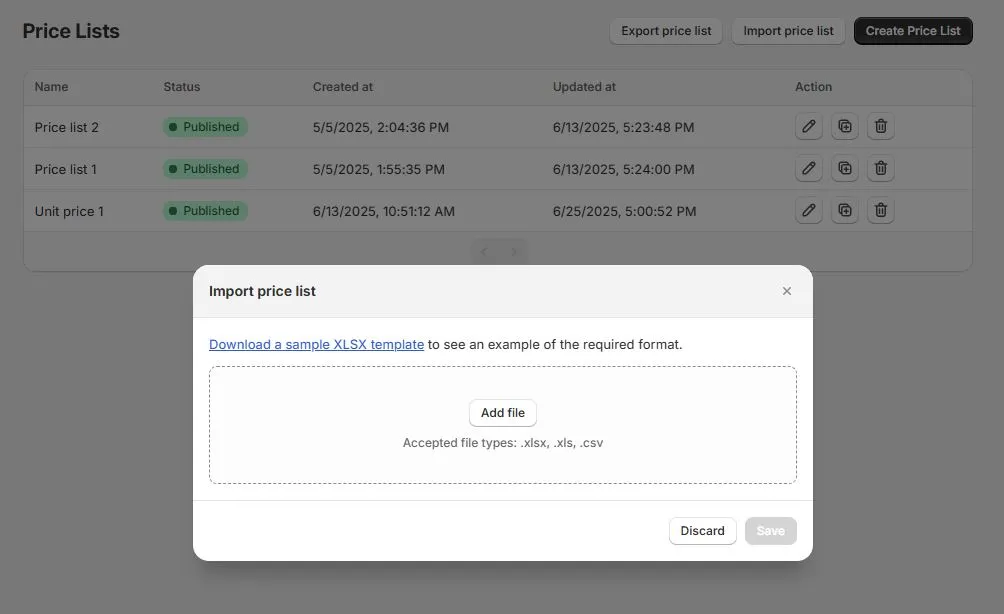
- Click Import price list and upload the revised file.
The system processes the import and applies your changes to your store’s pricing.
Frequently Asked Questions
What file format does the price list use?
Price lists import and export as CSV files. You can open and edit them in any spreadsheet editor, such as Google Sheets or Excel, before uploading the updated file.
Which B2Bridge plan includes import and export?
Import and export are available on the Growth plan at $199 per month and on higher plans. See the pricing page for what each tier includes.
Can you bulk-update several price lists at once?
Yes. You export the price list you want, make your edits in the CSV, and import it back to apply every change in that list at once, which is far faster than editing products individually.
Manage Your B2B Pricing Faster with B2Bridge
Bulk import and export is live now for all B2Bridge users on the Growth plan and above. Head to your dashboard to try it, or book a demo to see how B2Bridge handles pricing, customer groups, and net terms on your existing Shopify store.
See more B2Bridge feature updates: Public API, Unit Price, Manual Orders, and Lock/Hide Price.

Hi, I’m Tri, a tech enthusiast. With over 4 years of hands-on experience with Shopify and a total of eight years in technology and ecommerce, I currently serve as a Technical Leader on Shopify app development projects. My goal is to contribute solutions that are user-friendly, stable, and scalable within the Shopify App ecosystem.


