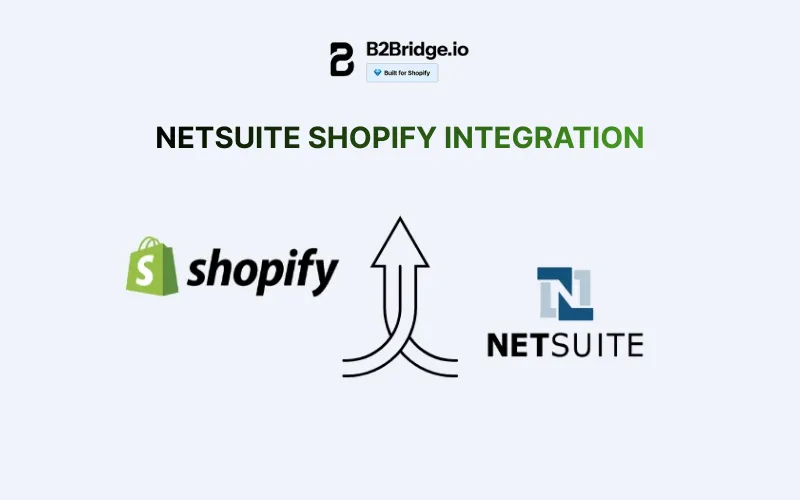
Yes, Shopify integrates seamlessly with NetSuite through native APIs and third-party connectors, enabling real-time synchronization of orders, inventory, customers, and pricing data. This integration is particularly critical for scaling B2B operations that need enterprise-level backend management paired with Shopify’s powerful Ecommerce frontend.
In this comprehensive guide, we’ll walk you through exactly how NetSuite Shopify integration works, provide a step-by-step setup process, analyze the key benefits and challenges, examine real-world case studies, and explore when a native B2B solution like B2Bridge might be a simpler alternative.

Does Shopify Integrate with NetSuite?
The short answer is yes, and there are multiple pathways to connect these two powerful platforms. NetSuite Shopify integration in B2B Ecommerce can be achieved through three primary methods, each with distinct advantages depending on your business requirements and technical resources.
Native Shopify Apps provide the most straightforward connection, available through the Shopify App Store. These pre-built solutions offer standardized integration capabilities with minimal technical setup required. While convenient, they may have limitations for highly customized B2B workflows or complex wholesale pricing structures.
Third-Party Connectors like Celigo, BSS Commerce, and Guru offer more robust, enterprise-grade integration capabilities. These platforms specialize in creating sophisticated data flows between Shopify and NetSuite, with extensive customization options for field mapping, sync rules, and business logic. They’re designed specifically for merchants who need advanced functionality beyond basic data transfer.
Custom API Integration represents the most flexible approach, allowing developers to build tailored connections using Shopify’s REST/GraphQL APIs and NetSuite’s SuiteTalk web services. This method requires significant technical expertise but delivers complete control over integration behavior and data handling.
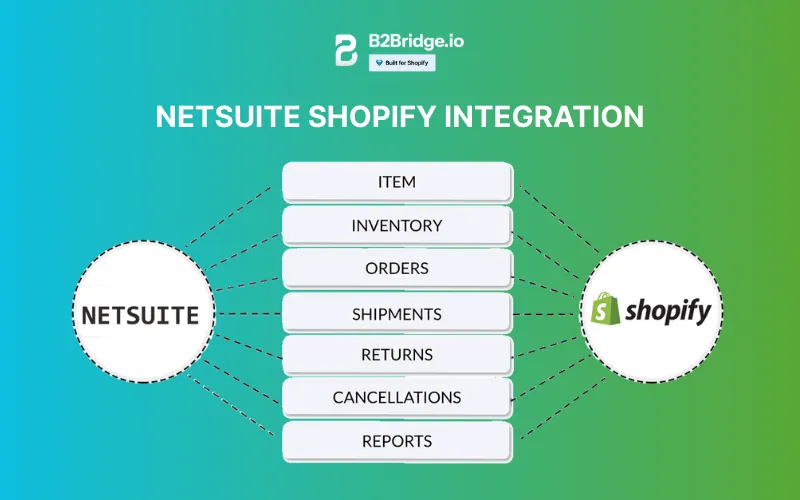
Regardless of the method chosen, a properly configured NetSuite Shopify integration enables bidirectional, real-time data synchronization. Orders flow automatically from Shopify to NetSuite where they trigger fulfillment workflows, while inventory updates from NetSuite push back to Shopify to prevent overselling. Customer data synchronizes to maintain consistent records across systems, and pricing information updates dynamically based on customer segments and volume tiers.
For B2B merchants using Shopify Plus, the integration unlocks additional capabilities around wholesale pricing and customer-specific catalogs. As we move through 2026, the trend toward dynamic tier synchronization across customer segments has become increasingly important, with wholesale buyers expecting real-time pricing that reflects their negotiated terms, volume discounts, and contract agreements.
The technical architecture typically involves webhook triggers for immediate updates (like new orders) combined with scheduled batch processes for less time-sensitive data (like product catalog updates). This hybrid approach balances the need for real-time responsiveness with system performance and API rate limit considerations.
>> Read more: B2B Portal Meaning, Key Features, Examples [Updated 2026]
How to Integrate Shopify with NetSuite: Step-by-Step Guide
Step 1: Choose Your Integration Method
Before diving into technical configuration, evaluate which integration approach aligns with your business needs, budget, and technical capabilities. Here’s a comparison of the primary options:
| Integration Method | Setup Cost | Monthly Cost | Setup Time | Best For | Support Level |
| Native Shopify Apps | $0-$500 | $50-$300 | 1-2 weeks | Small to mid-size B2B | Standard app support |
| Celigo | $5,000-$15,000 | $500-$2,000 | 4-8 weeks | Enterprise wholesale | Dedicated support |
| BSS Commerce | $3,000-$8,000 | $300-$1,000 | 3-6 weeks | Growing B2B operations | Professional support |
| Custom API Development | $15,000-$50,000 | Varies | 8-16 weeks | Highly customized needs | Internal/agency support |
Consider factors beyond just cost when making this decision. Native apps offer quick deployment but may lack advanced B2B features like customer-specific pricing rules or complex inventory allocation logic. Enterprise connectors provide comprehensive functionality but require more substantial investment and longer implementation timelines. Custom development offers unlimited flexibility but demands ongoing maintenance and developer resources.
Step 2: API Configuration and Authentication
Once you’ve selected your integration method, the next step involves establishing secure connections between Shopify and NetSuite through proper API configuration.
For Shopify:
- Navigate to your Shopify admin and create a private app or custom app (depending on your plan)
- Generate API credentials including API key, password, and shared secret
- Configure API permissions to grant access to orders, products, customers, and inventory
- Note your store’s myshopify.com domain for API endpoint construction
For NetSuite:
- Access Setup > Integration > Web Services Preferences
- Enable web services features and note your account ID
- Create an integration record to generate consumer key and secret
- Set up token-based authentication (TBA) for secure API access
- Assign appropriate role permissions for the integration user account
Security Best Practices: Implement OAuth 2.0 authentication where supported to ensure secure, token-based access without exposing passwords. Restrict API permissions to only the specific data types and operations required for integration functionality. Regularly rotate credentials and monitor API usage logs for suspicious activity.
Step 3: Data Field Mapping
Accurate field mapping ensures data flows correctly between systems without corruption or loss of critical information. This step requires careful attention to how each system structures its data.
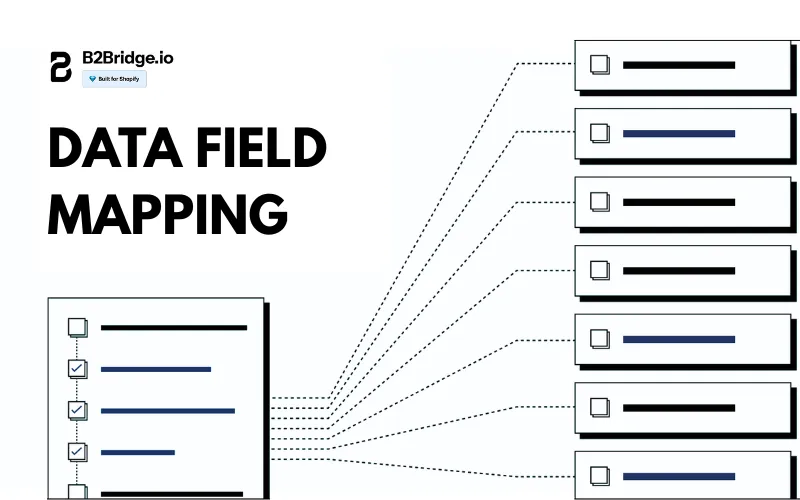
Core Data Mapping Requirements:
Products and Variants: Map Shopify product SKUs to NetSuite item internal IDs, ensure variant attributes (size, color) align with NetSuite custom fields, synchronize product descriptions and images, and link pricing tiers to NetSuite price levels.
Customer Records: Match Shopify customer IDs with NetSuite customer records, map billing and shipping addresses to appropriate NetSuite address books, synchronize customer tags to NetSuite classifications for B2B segmentation, and handle tax exemption status for wholesale accounts.
Order Data: Map Shopify order numbers to NetSuite sales order references, ensure line item details including quantities and prices transfer accurately, synchronize payment status and methods, and handle discount codes and wholesale pricing adjustments.
Custom Fields for Wholesale: Many B2B operations require custom field mapping for wholesale-specific data like customer price books, volume discount tiers, payment terms (net 30, net 60), minimum order quantities, and account manager assignments. Plan these mappings carefully during initial setup to avoid data inconsistencies later.
Step 4: Sync Rules and Testing
With fields mapped, configure synchronization rules that define when and how data moves between systems.
Sync Configuration Checklist:
- Define Sync Frequency: Choose real-time sync for orders and inventory (critical for stock accuracy), hourly or daily batch sync for customer updates and product catalogs, and scheduled overnight sync for historical reporting data.
- Set Data Flow Direction: Determine bidirectional sync for inventory and customer data, one-way sync from Shopify to NetSuite for orders, and one-way sync from NetSuite to Shopify for pricing updates.
- Configure Error Handling: Establish automatic retry logic for temporary failures, email notifications for sync errors requiring manual intervention, and logging of all sync activities for troubleshooting.
- Testing Protocols: Before going live, rigorously test your integration with these scenarios:
- Process test B2B orders with various product combinations and quantities
- Verify wholesale pricing applies correctly for different customer tiers
- Test inventory depletion and replenishment across multiple locations
- Confirm multi-currency handling for international B2B customers
- Validate customer creation and updates flow properly
- Test edge cases like returns, exchanges, and backorders
Run these tests in a sandbox or development environment before enabling production sync to avoid disrupting live operations.
Step 5: Go Live and Monitor
After successful testing, transition to production with careful monitoring during the initial period.
Launch Phase: Enable integration during a low-traffic period to minimize risk, monitor the first 24-48 hours closely for any unexpected errors, have your integration partner or technical team on standby for immediate issue resolution, and communicate the change to relevant internal teams (customer service, operations, warehouse staff).
Ongoing Performance Monitoring: Track key performance indicators including sync success rate (target 99.5% or higher), average sync latency for real-time operations, API call volume relative to rate limits, and error frequency and types.
Set up dashboard views that display integration health at a glance, showing recent sync status, pending error resolutions, and system performance metrics. Most enterprise connectors include built-in monitoring dashboards, while custom integrations may require separate logging and alerting infrastructure.
Key Benefits of NetSuite Shopify Integration
When properly implemented, NetSuite Shopify integration delivers substantial operational improvements and business value for B2B merchants.
99.9% Inventory Accuracy
Real-time inventory synchronization eliminates the stockouts and overselling situations that damage customer relationships and create operational headaches. When a product sells on Shopify, NetSuite inventory immediately decreases, preventing other sales channels from selling unavailable stock. Conversely, when a warehouse receives updates from NetSuite, your Shopify store instantly reflects new availability, capturing sales opportunities without manual intervention.
40% Reduction in Order Processing Time
Automated order flow from Shopify to NetSuite eliminates manual data entry, reducing both processing time and error rates. Orders automatically trigger fulfillment workflows in NetSuite, generate picking tickets, and update shipping status back to Shopify for customer notification. This automation allows your operations team to focus on exceptions and customer service rather than routine data transfer.
Dynamic Wholesale Pricing Synchronization
For B2B operations, customer-specific pricing is critical. Integration enables NetSuite to manage complex wholesale price books with volume discounts, contract pricing, and customer-tier structures, while Shopify displays the correct pricing to each logged-in wholesale customer. This eliminates the risk of pricing errors and ensures customers always see their negotiated rates.
Multi-Location Inventory Management
Wholesalers often operate multiple warehouses or distribution centers across regions. NetSuite Shopify integration synchronizes inventory across all locations, enabling intelligent order routing based on warehouse proximity to customer, stock availability, and fulfillment costs. This optimization reduces shipping expenses while improving delivery times for B2B customers.
Unified Customer Data
Maintaining consistent customer records across systems improves service quality and enables better business intelligence. Sales reps accessing NetSuite see complete order history including online purchases, while marketing teams can segment customers based on combined data for more targeted campaigns.
Financial Reconciliation
Integration ensures orders, payments, and refunds recorded in Shopify automatically flow to NetSuite’s financial modules, eliminating manual journal entries and reducing month-end close time. This creates a single source of truth for financial reporting and simplifies audit processes.
NetSuite Shopify Integration Comparison
Understanding the landscape of integration providers helps you select the best solution for your specific requirements and budget. Here’s how major connectors compare:
| Provider | Starting Cost | Implementation Time | Key Strengths | Best For |
| Celigo | $12,000+ annually | 6-10 weeks | Enterprise features, robust error handling | Large B2B operations with complex workflows |
| Guru Technology | $8,000+ annually | 4-8 weeks | B2B focus, pricing tier support | Mid-market wholesale distributors |
| BSS Commerce | $5,000+ annually | 3-6 weeks | Customizable, good support | Growing B2B merchants needing flexibility |
| Commercient SYNC | $6,000+ annually | 4-6 weeks | Multiple ERP support | Businesses using multiple systems |
| FarApp | $3,600+ annually | 2-4 weeks | Quick deployment, simpler needs | Smaller B2B operations |
Note that actual costs vary significantly based on order volume, customization requirements, and support level. Most providers charge based on transaction volume tiers, with higher-volume merchants paying proportionally more.
Native Shopify Limitations: While native Shopify B2B features have improved, they still face limitations for enterprise-scale wholesale operations. Complex pricing structures, advanced inventory allocation rules, and sophisticated order workflows often require either ERP integration or specialized B2B apps to manage effectively.
Common NetSuite Shopify Integration Challenges + Solutions
Even well-planned integrations encounter challenges during implementation and operation. Understanding common issues helps you prepare appropriate solutions.
Data Mapping Errors and Custom Fields
Discrepancies in how Shopify and NetSuite structure data often cause initial sync failures. For example, NetSuite may require custom fields for wholesale price books that don’t exist in standard Shopify products.
Solution: Create comprehensive field mapping documentation during setup, add custom fields to Shopify using metafields for B2B-specific data, and implement validation rules that catch mapping errors before they propagate through systems.
Sync Delays Under High Volume
During peak periods, API rate limits can cause sync delays that frustrate customers checking order status or cause inventory inaccuracies.
Solution: Implement intelligent sync prioritization that processes orders and inventory updates in real-time while batching less critical data, optimize API calls by bundling requests where possible, and consider upgrading to higher API limits if consistently reaching thresholds.
Multi-Currency Conflicts
International B2B operations face complexity when NetSuite manages multiple currencies while Shopify Markets handles currency conversion. Inconsistent exchange rates between systems can cause pricing discrepancies.
Solution: Designate NetSuite as the master currency system, configure Shopify to use NetSuite’s exchange rates for pricing calculations, and implement daily rate synchronization to maintain consistency.
Product Variant Synchronization
Shopify handles product variants differently than NetSuite’s matrix items or item groups, often causing confusion during catalog sync.
Solution: Establish clear variant mapping rules during setup, use consistent SKU conventions across systems, and test variant creation thoroughly before deploying to production.
Ongoing Maintenance Costs
Integration isn’t “set it and forget it” – ongoing maintenance averages $3,000-$5,000 monthly for monitoring, troubleshooting, adapting to platform updates, and adjusting sync rules as business needs evolve.
Solution: Budget appropriately for ongoing support, establish clear escalation procedures for integration issues, and maintain documentation of custom configurations for future reference.
Real-World Case Studies: NetSuite Shopify Success Stories
Brooklyn Bicycle Co., a hybrid B2C and B2B bicycle brand, faced challenges managing wholesale alongside retail sales on Shopify, especially syncing orders and fulfillment with their NetSuite ERP while clearly distinguishing between wholesale and retail channels. They needed accurate variant pricing, gated wholesale access, and transparent order histories for business customers – all without manual data entry or process fragmentation.

To solve this, Brooklyn Bicycle Co. implemented the B2Bridge Shopify app on their Shopify store. B2Bridge enabled variant-specific wholesale pricing, private login-only wholesale pages, and real-time syncing of orders and fulfillment data between Shopify and NetSuite. This ensured smooth data flow between both systems, reducing errors and manual work while maintaining clarity between wholesale and retail operations.
With B2Bridge, wholesale customers can view order histories, access accurate shipping rates and cart-level discounts, and benefit from business checkout terms. Meanwhile, Brooklyn Bicycle Co. gained operational efficiency, improved data accuracy, and stronger partner relationships, allowing their team to focus on growth rather than backend processes.
Ready to Simplify Your B2B Operations?
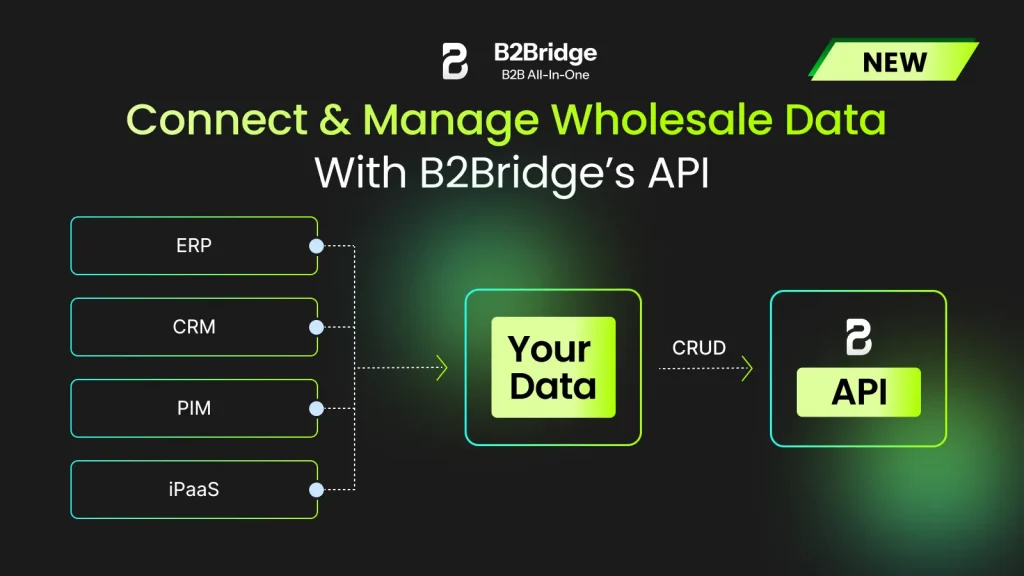
If you’re looking for a way to manage wholesale without complex integrations, B2Bridge offers everything you need to run professional B2B operations natively within Shopify. From customer-specific pricing to self-service ordering and quote management, B2Bridge provides the tools growing wholesalers need without the technical complexity of ERP integration.
Need Integration Flexibility? B2Bridge’s Public API gives you the power to connect when it makes sense for your business. Whether you need to sync data with accounting software, connect to warehouse management systems, or build custom integrations with internal tools, B2Bridge’s API provides clean, well-documented access to your wholesale data. You get native Shopify simplicity with enterprise-grade integration capabilities – no need to choose between ease of use and technical flexibility.
Start with a solution that scales with your business and delivers results from day one. Explore how B2Bridge can transform your wholesale operations while keeping everything simple and manageable within your existing Shopify store – with the option to integrate seamlessly when your business demands it.
NetSuite Shopify Integration FAQs
Shopify and NetSuite both offer APIs that technically enable direct integration, but there’s no native, pre-built connection available out of the box. Virtually all merchants use either third-party connector apps or custom API development to establish integration. Native apps from the Shopify App Store provide the quickest path to connection, while custom development offers maximum flexibility for unique requirements.
Costs range from $5,000-$15,000 for initial implementation using third-party connectors, plus ongoing monthly fees of $300-$2,000 depending on transaction volume and support level. Custom API development typically starts at $15,000 and can exceed $50,000 for complex requirements. You can use a Shopify app like B2Bridge which has a Public API feature in the Advanced plan with only $299.
Yes. NetSuite can integrate with Shopify using connectors like Celigo, Patchworks, VL Omni, or custom APIs. These sync key data – orders, inventory, products, customers, and fulfillment – so merchants can automate operations, reduce manual work, and maintain real-time accuracy between both systems.
Yes. Shopify integrates with many ERPs through native apps, third-party connectors, or custom API development. Merchants can sync orders, customers, products, pricing, and inventory to centralize operations, eliminate manual data entry, improve accuracy, and streamline workflows across finance, fulfillment, and supply-chain teams.
To integrate systems with Shopify, install an app or connector from the Shopify App Store, configure API credentials, map data fields, and set sync rules. Businesses with complex workflows often use middleware or custom API integrations to automate data exchange between Shopify and external platforms.
NetSuite integrates with ecommerce platforms (Shopify, Magento, BigCommerce), marketplaces (Amazon, eBay), logistics tools, CRM systems, accounting tools, and third-party apps through SuiteTalk APIs or connectors. These integrations unify financials, inventory, orders, and customer data across the entire business ecosystem.
The best ERP for Shopify depends on business size and complexity. Popular options include NetSuite for scaling brands, Brightpearl for retail/wholesale, Cin7 for inventory-heavy businesses, and Odoo for flexible modular needs. The ideal ERP offers strong Shopify integration, automation, and real-time visibility.
Conclusion
NetSuite Shopify integration offers powerful capabilities for B2B merchants who need enterprise-level operations management paired with Shopify’s excellent Ecommerce frontend. Through native APIs and specialized connectors, the integration enables real-time synchronization of orders, inventory, customers, and pricing data, creating a unified system that eliminates manual processes and reduces errors.
Whichever path you choose, the key is selecting an approach that aligns with your current needs while providing flexibility to scale as your B2B operations grow. Take time to thoroughly evaluate options, talk with integration providers about your specific requirements, and budget realistically for both initial implementation and ongoing support.

Hi, I’m Ha My Phan – an ever-curious digital marketer crafting growth strategies for Shopify apps since 2018. I blend language, logic, and user insight to make things convert. Strategy is my second nature. Learning is my habit. And building things that actually work for people? That’s my favorite kind of win.