---
title: "How To Add a B2B Registration Form on Shopify (With and Without an App)"
id: "5626"
type: "post"
slug: "shopify-registration-form"
published_at: "2026-08-25T06:22:21+00:00"
modified_at: "2026-08-25T06:27:23+00:00"
url: "https://b2bridge.io/blog/shopify-registration-form/"
markdown_url: "https://b2bridge.io/blog/shopify-registration-form.md"
excerpt: "To add a B2B registration form on Shopify, you have two routes. You can edit your theme’s Liquid code to add custom […]"
taxonomy_category:
- "B2B Shopify"
taxonomy_post_tag:
- "setting-up"
---
Table of Contents
[Toggle](#)
To add a B2B registration form on Shopify, you have two routes. You can edit your theme’s Liquid code to add custom business fields to the default customer registration form, or you can install a B2B app that builds the form and handles approval for you. The app route needs no code and includes an approval workflow; the code route is free but manual.
This guide walks through both approaches: the DIY method with Liquid and theme edits, and the app-based method for merchants who want automation. By the end you will know which one fits your store and how to set it up.
## Why B2B Registration Forms Matter on Shopify
A B2B registration form protects your wholesale pricing and qualifies serious buyers before they ever see a discounted rate. It sits between anonymous visitors and your wholesale catalog, collecting business details so you approve real buyers and keep retail shoppers out.
If you run wholesale on Shopify, you face one core problem: how do you separate retail shoppers from legitimate business customers without making onboarding painful? A dedicated registration form solves this by collecting business information upfront, gating access to wholesale pricing, and giving you a clear approval step.
The form does four jobs for you:
- Qualifies leads by capturing tax IDs, business licenses, and reseller certificates so you verify buyers before approval.
- Protects pricing so only approved customers see wholesale rates, keeping retail and wholesale margins separate.
- Feeds segmentation, letting you group buyers by industry, region, or order volume for targeted follow-up.
- Supports tax and legal compliance by gathering the documentation you need for tax-exempt sales.
## Adding a B2B Registration Form Without an App
You can build a B2B registration form without any app by editing your theme’s Liquid templates and adding custom fields to Shopify’s default customer form. This route is free and fully customizable, but it needs developer skills and has no built-in approval workflow.
### Customize the Default Registration Form with Liquid
Shopify’s default customer form collects only email, password, and name. To make it B2B-ready, edit your theme’s Liquid files and add the fields you need.
1. Open your Shopify admin and go to Online Store > Themes > Actions > Edit code.
2. Find the `customers/register.liquid` (or `customer-register.liquid`) template in your theme.
3. Add custom fields with HTML and Liquid.
Here is a basic company-name field:
### Add Custom Business Fields
To collect the details you need to qualify a wholesale buyer, add fields such as business type, tax ID or EIN, reseller certificate, business address, expected order volume, and business website. Store these in Shopify customer metafields or in the customer note field.
Here is a required tax ID field:
A few things make this route workable: tag new wholesale applications as “pending approval” so you can filter them, add JavaScript validation for required fields, style the form to match your theme with CSS, and use conditional logic to show or hide fields based on what the buyer selects.
### Limits of the Manual Approach
The DIY route gives you control, but it carries real costs that grow with your volume.
Building a solid form takes solid HTML, CSS, JavaScript, and Liquid skills, and a basic build often runs a day or two of developer time. Theme updates can overwrite your work, so you maintain it every time the theme changes. There is no approval dashboard, so you check for new registrations, tag customers, and send approval emails by hand. Advanced features like file uploads for business documents or multi-step forms need even more development.
For most merchants, these limits make an app the more practical choice once applications start coming in.
## Adding a B2B Registration Form with an App
An app adds a B2B registration form to Shopify in minutes, with custom fields, an approval dashboard, and automated emails, and no theme code to maintain. This route suits merchants who want the form live quickly and connected to pricing and orders.
### What B2Bridge Does for B2B Registration
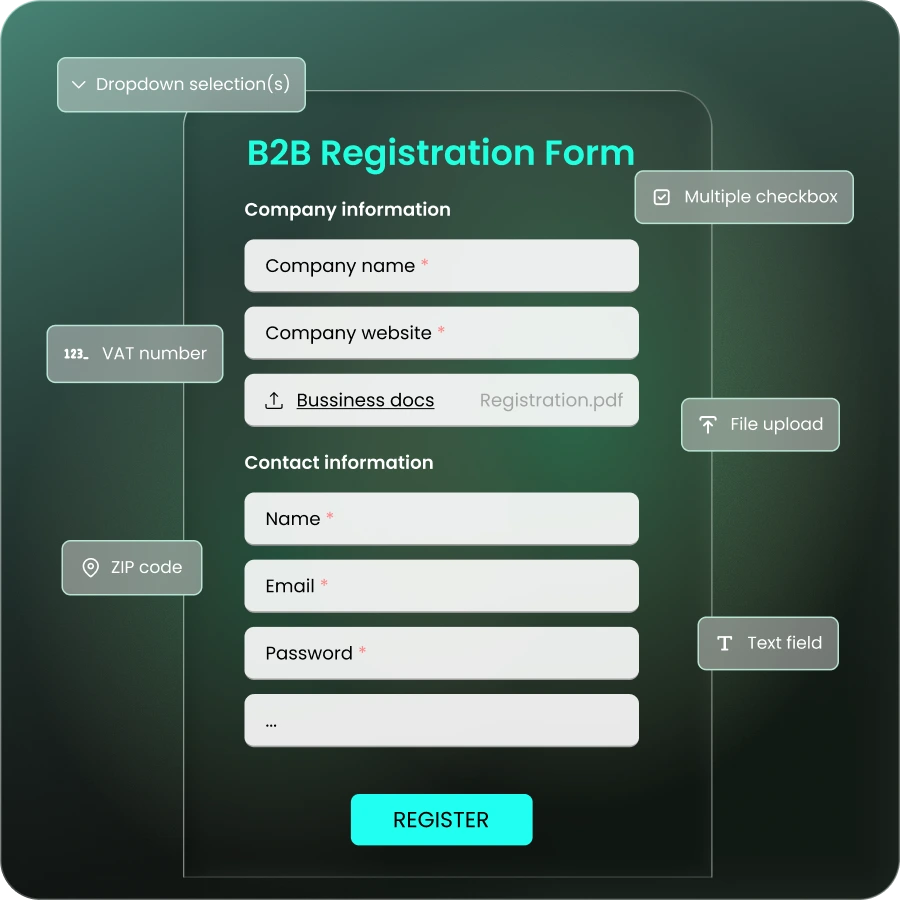
B2Bridge is an all-in-one B2B app for Shopify, and its registration form handles wholesale onboarding end to end. It gives you unlimited custom fields and forms, conditional logic for dynamic forms, automated approval workflows, customer tagging and segmentation, merchant and customer email notifications, and file uploads for business documents.
Because forms and fields are unlimited on every paid plan, you can build a different form for each customer segment, product line, or region without hitting a cap.
### How to Install and Set Up B2Bridge
Follow these steps to get the registration form live.
1. Open the Shopify App Store and search for “B2Bridge B2B Wholesale Pricing,” or start from the [B2Bridge website](https://b2bridge.io/?utm_source=b2bridge.io&utm_medium=shopify-registration-form&utm_campaign=anchor-text) .
2. Click **Install** to add B2Bridge to your store.
3. Open the B2Bridge dashboard from inside your Shopify admin.
4. Create a Price List, selecting products and setting your B2B prices, discounts, and order limits.
5. Create a Customer Group and assign the Price List to it, so only approved buyers in that group see B2B pricing when logged in.
6. Enable the B2B registration form so wholesale buyers can sign up and wait for your approval.
7. If needed, add the B2Bridge theme snippet under Online Store > Themes > Actions > Edit code so B2B prices display on your storefront.
Once set up, approved B2B customers see their own prices and features when they log in. B2Bridge runs inside your existing Shopify store, so you launch a [B2B portal](https://b2bridge.io/blog/shopify-b2b-portal/)
with customer-specific pricing, registration, and [net payment terms](https://b2bridge.io/blog/net-payment-terms/)
on your current Shopify plan, without a second site.
### Manual Code vs App: Which To Choose
| Factor | Manual (Liquid code) | App (B2Bridge) |
| --- | --- | --- |
| Setup time | A day or two of developer work | Minutes, no code |
| Coding skills | HTML, CSS, JavaScript, Liquid | None |
| Approval workflow | Build and run it by hand | Built-in dashboard |
| Custom fields | Limited, manual | Unlimited, with conditional logic |
| File uploads | Extra development | Included |
| Maintenance | Breaks on theme updates | Handled by the app |
| Ongoing cost | Developer time | App subscription |
## Connecting Registration to Wholesale Pricing and Net Terms
A registration form is the first step; its value comes from what happens after approval. When the form feeds directly into pricing and payment terms, an approved buyer moves from signup to first order without a manual handoff.
### Hide Wholesale Prices Until Approval
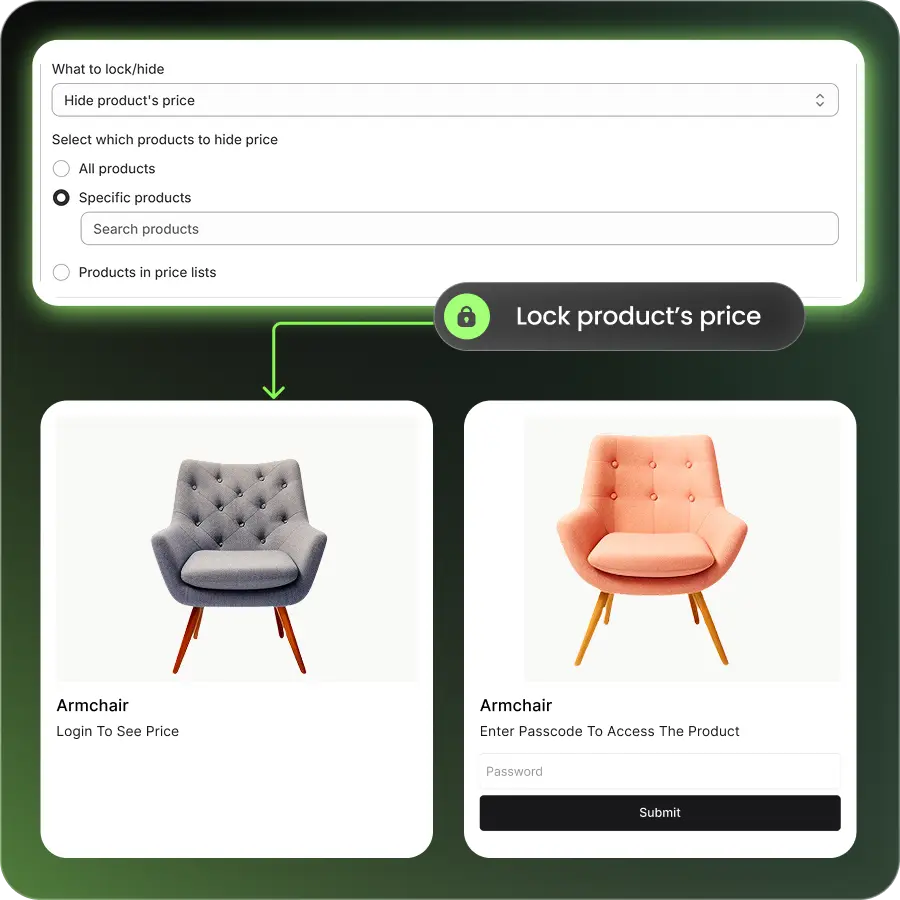
Your registration form should work with a wholesale pricing tool so retail shoppers never see discounted rates. That means hiding prices from untagged customers, showing a “Log in to see pricing” message to visitors, revealing tiered pricing only to tagged wholesale buyers, and pointing unqualified visitors back to the form. This keeps pricing consistent across both channels.
### Give Approved Buyers Tiered Pricing and Net Terms
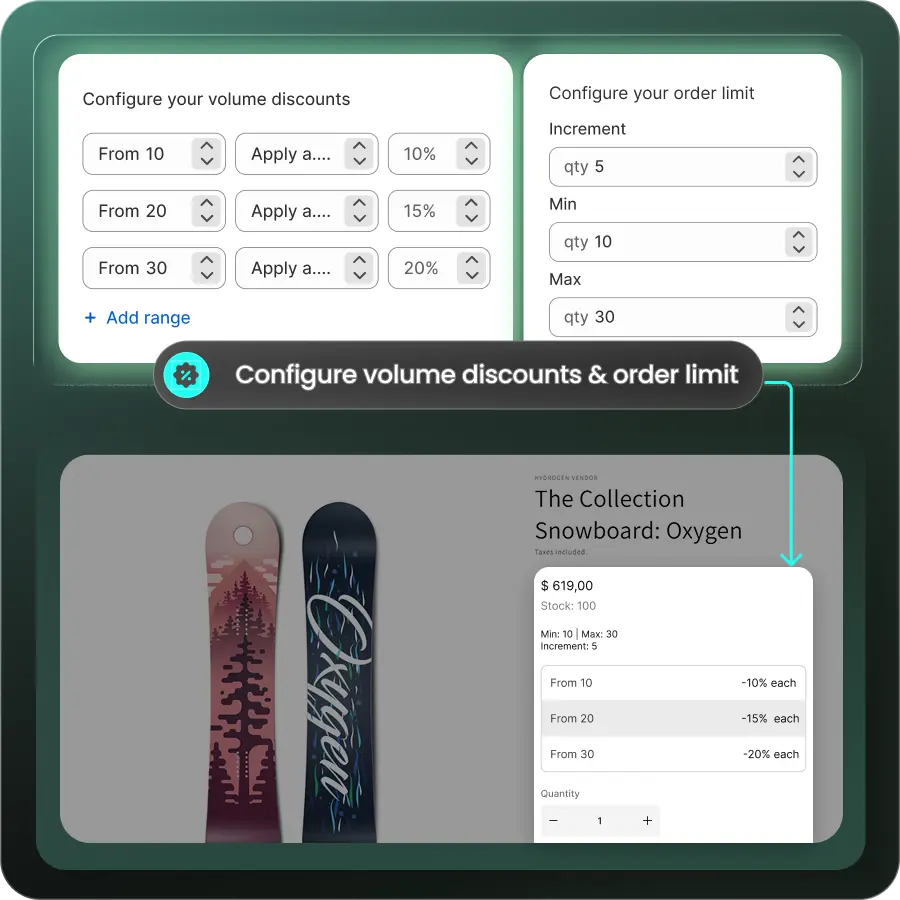
Once a buyer is approved, they should immediately get the pricing and terms wholesale buyers expect. That includes [volume-based tiers](https://b2bridge.io/blog/b2b-volume-discounts/)
(for example 10% off at 25 units, 15% off at 50), net payment terms such as Net 30, Net 60, or Net 90, and customer-specific rates for strategic accounts.
### Automate the Whole Flow with B2Bridge
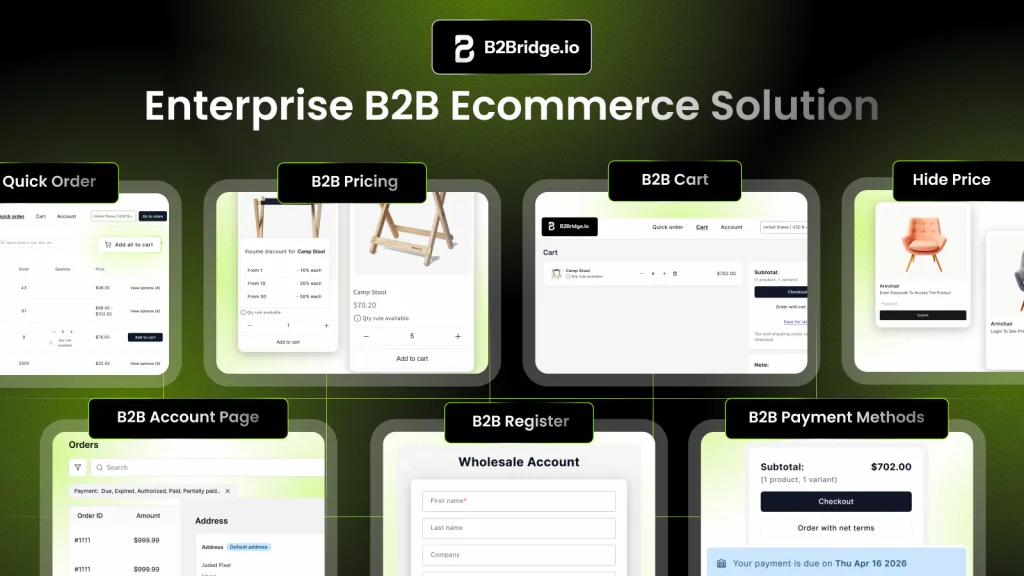
B2Bridge connects registration, pricing, and orders so the pieces work as one system. When a buyer completes the form, B2Bridge can create their wholesale profile with the right pricing rules, assign different Price Lists by segment, accept quote requests through its RFQ tools, and let approved buyers order on net terms with credit-limit checks. The result is a shorter path from signup to a paid order.
## Best Practices for Shopify B2B Registration Forms
A high-converting registration form balances the information you collect against the effort you ask of the buyer. These practices keep both in check.
### Use Progressive Disclosure To Keep Forms Short
Do not put 20 fields on one screen. Break the form into steps (Business Info, then Tax Details, then Product Interests), show fields only when they apply (a reseller-certificate upload appears only for tax-exempt selections), and add a progress indicator so buyers know how much is left.
### Collect Essential Business and Tax Details
Require the fields you need to verify a buyer: legal business name, tax ID or registration number, business type and industry, physical address, primary contact, and business email and phone. Keep optional fields (website, expected monthly volume, current suppliers, product categories) clearly optional so the form stays fast.
### Communicate Approval Times Clearly
Set expectations at submission. State your review window (for example, “We review applications within 1 to 2 business days”), explain what happens next, give a contact for questions, and preview the pricing or benefits the buyer unlocks once approved.
### Protect Privacy and Data Security
Business buyers share sensitive documents, so reassure them. Link your privacy policy near the submit button, explain how you use the data, rely on Shopify’s built-in SSL, follow GDPR and CCPA where they apply, and store uploaded documents securely.
### Optimize for Mobile and Desktop
Many buyers research on their phones, so the form has to work on every screen. Use mobile-friendly input types (`tel`, `email`), large tap targets, and dropdowns to cut typing, and keep the layout responsive across sizes.
## Why Merchants Choose B2Bridge for B2B Registration
B2Bridge keeps wholesale unlimited at scale and runs it from one app, so registration is one part of a system that also handles pricing, orders, and payments. You manage B2B and B2C from the same Shopify admin instead of stitching together separate tools.
- Run wholesale from one place, with registration, pricing, and orders in a single app rather than several that may not work together.
- Protect pricing automatically, showing the right price to the right customer based on approval status.
- Scale without spreadsheets, from a handful of accounts to thousands, with no per-record caps.
- Turn quotes into orders with built-in RFQ and negotiation tied to approved accounts.
## Frequently Asked Questions
### How do you create a registration form in Shopify?
Use a form builder app or Shopify Forms, customize the fields to collect details like company name and tax ID, then embed the form on a dedicated wholesale signup page. A B2B app such as B2Bridge adds an approval workflow on top.
### Does Shopify require business registration?
No. Shopify does not require an official business registration to open a store. Registering your business is still recommended for tax compliance, legal protection, and access to payment processors or wholesale partnerships that ask for verification.
### How many registration forms can you create on Shopify?
With an app like B2Bridge you can create unlimited forms for different segments, product lines, or regions. Without an app, you are limited to modifying Shopify’s single default registration form.
### Can you customize fields for different customer types?
Yes. App-based solutions let you build separate forms for wholesalers, distributors, or affiliates, each collecting the information relevant to that segment.
### How do you approve or reject wholesale account requests?
With manual forms you review submissions stored in customer notes, then tag and email each buyer by hand. Apps give you an approval dashboard where you review, approve or reject, and notify the customer automatically.
### How do you link a registration form to pricing and payment terms?
The link is customer tagging. When a buyer is approved, assign a tag such as “Wholesale,” then configure your pricing tool to show special rates only to tagged customers. B2Bridge automates this connection from approval through pricing and net terms.
## Launch Your Shopify B2B Registration with B2Bridge
A professional registration form is the first impression wholesale buyers have of your store, and for most merchants an app gives the best balance of speed, features, and long-term scale. Choose the route that fits your technical comfort, apply the practices above, and connect the form to your pricing and terms so approved buyers can order right away.
Ready to set up wholesale registration on Shopify? [Install B2Bridge free](https://apps.shopify.com/b2bridge-b2b-all-in-one?utm_source=b2bridge.io&utm_medium=shopify-registration-form&utm_campaign=anchor-text)
, [book a demo](https://b2bridge.io/contact-us/?utm_source=b2bridge.io&utm_medium=shopify-registration-form&utm_campaign=anchor-text)
, or [see customer stories](https://b2bridge.io/customer-stories/?utm_source=b2bridge.io&utm_medium=shopify-registration-form&utm_campaign=anchor-text)
.
5/5 - (4 votes)

[Ha My Phan](https://b2bridge.io/blog/author/mypth/)
Hi, I’m Ha My Phan – an ever-curious digital marketer crafting growth strategies for Shopify apps since 2018. I blend language, logic, and user insight to make things convert. Strategy is my second nature. Learning is my habit. And building things that actually work for people? That’s my favorite kind of win.
[community.shopify.com/c/user/viewprofilepage/user-id/1953073](https://community.shopify.com/c/user/viewprofilepage/user-id/1953073)
[https://www.linkedin.com/in/phan-thi-ha-my/](https://www.linkedin.com/in/phan-thi-ha-my/)
- [B2B ecommerce](https://b2bridge.io/blog/category/b2b-insights/b2b-ecommerce/) (47)
- [B2B Insights](https://b2bridge.io/blog/category/b2b-insights/) (40)
- [B2B Shopify](https://b2bridge.io/blog/category/b2b-shopify/) (67)
- [B2B Wholesale pricing](https://b2bridge.io/blog/category/b2b-wholesale-pricing/) (25)
- [News & Updates](https://b2bridge.io/blog/category/news-updates/) (7)
[https://calendly.com/b2bridge/demo?utm_source=side-banner-blog](https://calendly.com/b2bridge/demo?utm_source=side-banner-blog)
### You may also like
[https://b2bridge.io/blog/review-b2b-wholesale-hub/](https://b2bridge.io/blog/review-b2b-wholesale-hub/)
[B2B Shopify](https://b2bridge.io/blog/category/b2b-shopify/)
[B2Bridge vs B2B Wholesale Club: Which Shopify B2B App Fits Your Wholesale?](https://b2bridge.io/blog/review-b2b-wholesale-hub/)
[https://b2bridge.io/blog/import-export-price-list/](https://b2bridge.io/blog/import-export-price-list/)
[B2B Shopify](https://b2bridge.io/blog/category/b2b-shopify/)
[How To Import & Export B2B Price Lists as CSV File On Shopify](https://b2bridge.io/blog/import-export-price-list/)
[https://b2bridge.io/blog/shopify-b2b-payment-methods/](https://b2bridge.io/blog/shopify-b2b-payment-methods/)
[B2B Shopify](https://b2bridge.io/blog/category/b2b-shopify/)
[Shopify B2B Payment Methods: How to Accept Wholesale Payments](https://b2bridge.io/blog/shopify-b2b-payment-methods/)